GPS location service
46
Please note that during emergency mode, your terminal will not
display the GPS icon even when receiving GPS location data. If
valid GPS location data is available when you leave emergency
mode the GPS icon will be displayed again.
Q
GPS enable/disable
1. From the
Main menu
select Location
→
Interface
The current selection (On
/Off) is highlighted.
2. Select the new choice. The display shows:
On — Location Service On
Off — Location Service Off
Q
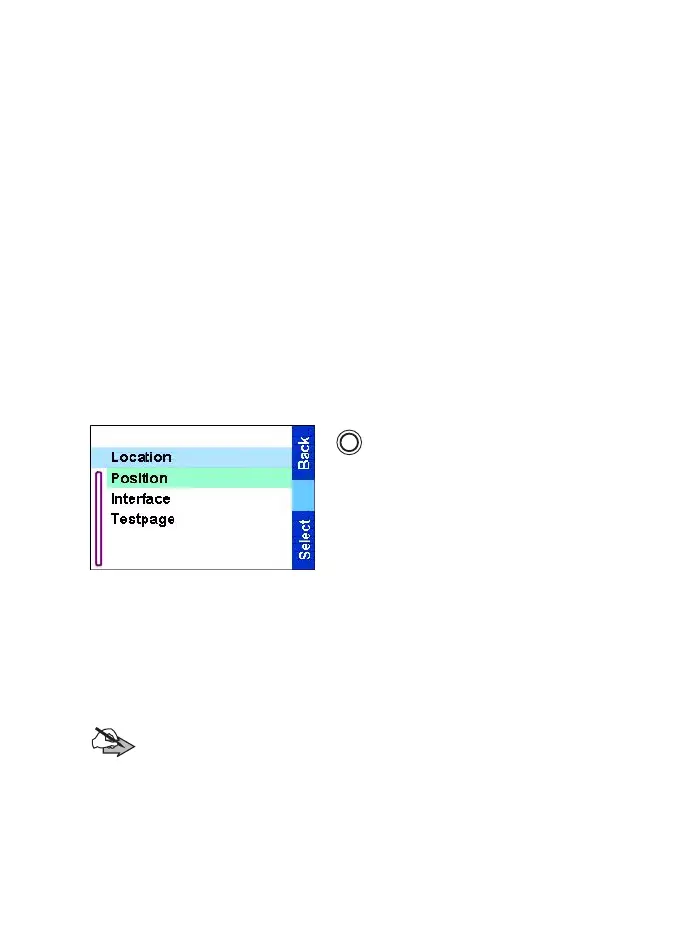
Entering GPS location service
To enter the GPS sub-menu, press
and select Location:
Position — provides the actual
position information.
Interface — allows you to enable/
disable the GPS location service.
Testpage — provides detailed
position information.
Scroll to your selection and press
Select
to access the next display.
This estimate of accuracy of the calculated location is only a very
rough estimate and may vary substantially from the actual accuracy
of the approximate location information reported.
Note:
The variation will vary in accordance to the GPS
Configuration set by your Service Provider. The availability of the
GPS Location menus is dependent on your terminal
configuration, please contact your Service Provider for further
details.
MENU
TGR990_features.book Page 46 Thursday, December 3, 2009 9:43 AM



 To Next Page