The menu
67
Setting the volume
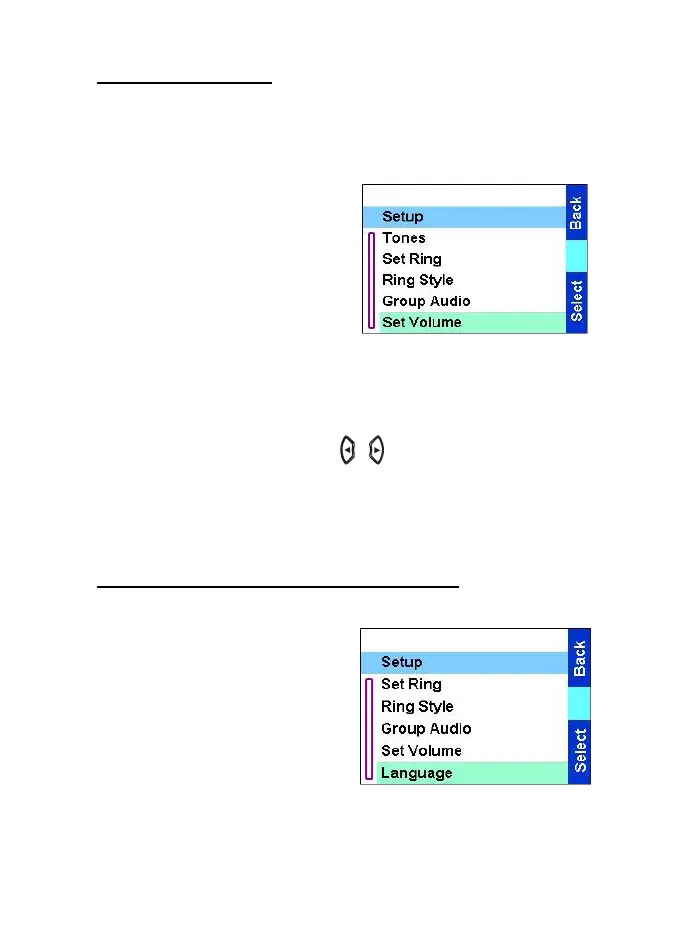
This sub-menu allows you to adjust the ringer, earpiece,speaker,
and keypad tone volume.
To set the volume:
1. From the
Main menu
, select
Setup
→
Set Volume.
2. Scroll through the list:
•
Ringer Vol:
— sets ringing
tone volume.
•
SpeakerVol:
— sets speaker
volume (the same as volume
knob).
•
Keypad Vol:
— sets keypad pressing tone volume.
3. Select the required item, and press
Change
.
4. Adjust the volume level using / or Rotary Knob. A feedback
tone is heard, and a volume level bar is displayed.
5. Press
Back
to exit.
6. Press
Done
to accept the settings.
Setting the display’s working language
From the
Main menu
, select
Setup
→
Language.
The display shows the current
language used. You can
customize your TGR990 to
operate in English, German,
French, Spanish, Dutch,
Swedish, Norwegian or in a
language defined by your Service Provider. The default setting from
factory is English.
TGR990_features.book Page 67 Thursday, December 3, 2009 9:43 AM



 To Next Page