The menu
60
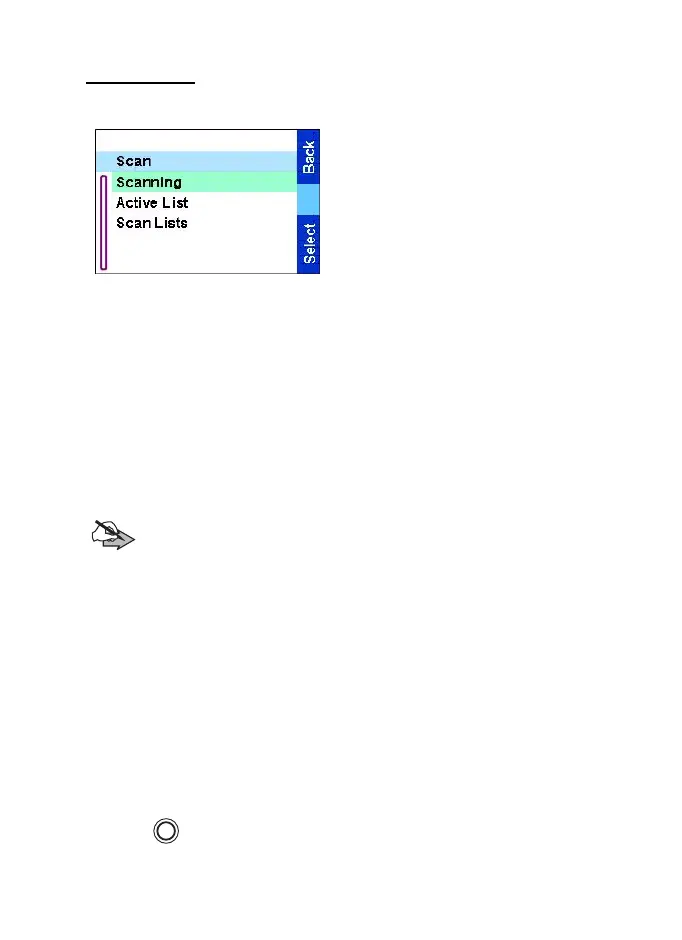
Group scan
From the
Main menu
, select
Group Setup
→
Scan.
This sub-menu allows you to
activate/deactivate scanning,
view the active scan list, and edit
the scan lists.
Scanning
This sub-menu allows you to activate/deactivate the scanning of a
list of pre-defined groups programmed in the TGR990. The TGR990
will join any group call as long as this group is defined in the scan list
and scan is turned on.
From the
Main menu
, select Group Setup
→
Scan
→
Scanning.
After completing the settings, the display returns to the Scan sub-
menu.
Note:
When the TGR990 is in DMO, Gateway or Repeater
modes you cannot activate the scanning. An error message will
be displayed.
Active list
This sub-menu allows you to view the active scan list.
1. From the
Main menu
, select Group Setup
→
Scan
→
Active List.
Press
View
.
2. Scroll to the required list and press
View
to see the groups that
belong to the list.
3. Scroll to the required group and press
View
to view the group
status (attached or not attached) and priority (if preprogrammed).
4. Press
Back
to return to the previous display. Then, if required,
press . You can select to delete the group from the scan list or
change its priority.
MENU
TGR990_features.book Page 60 Thursday, December 3, 2009 9:43 AM



 To Next Page