Getting started
20
Q
The LED status indicator
The LED indicator shows the in-service states of your TGR990.
Q
Key and rotary knob overview
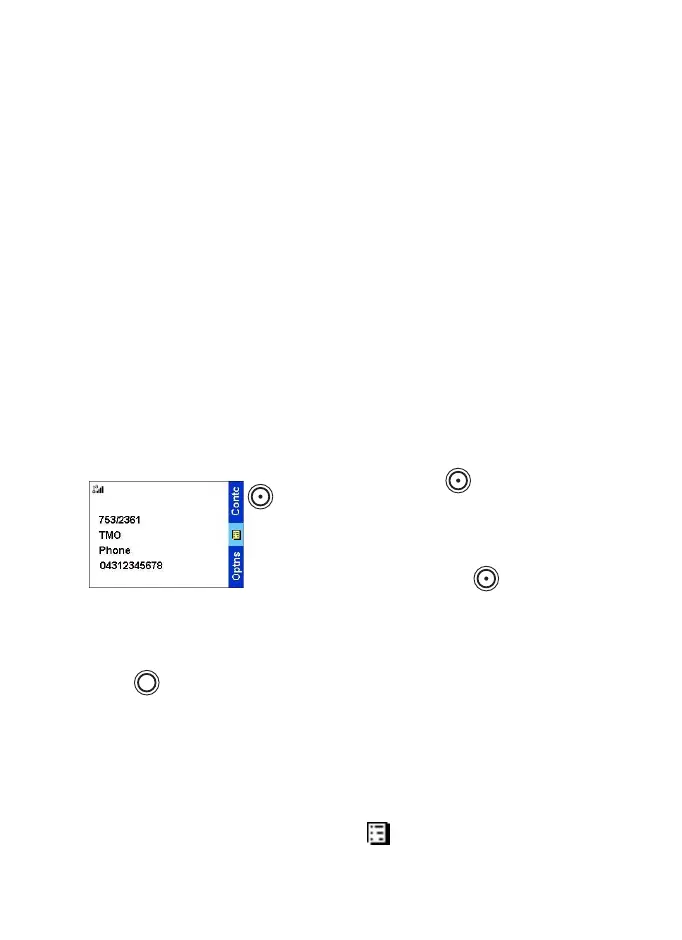
Soft keys
Press upper or lower to select the
option that appears in the screen directly
next to the upper or lower soft key.
In this example,
Contcs
is displayed
next to the key. Pressing enters the
contact list. In the user guide, this action
is described as "press
Contcs
".
Menu key
Press to enter:
•
The menu (when there is no on-going activity). The TGR990
menus allow you to control your TGR990 settings. Menus are
organised in a hierarchy. See List of menu items on page 51. The
menu options provide access to a further list of options called a
sub-menu.
•
The context sensitive menu (when icon is on) to view a list of
items for the current menu.
Indicator Status
Solid GREEN In use
Blinking GREEN In service
Solid RED Out of service/Disabled
Blinking RED Connecting to a network
Solid ORANGE Transmission Inhibit (TXI) in
service
Blinking ORANGE Incoming call
MENU
TGR990_features.book Page 20 Thursday, December 3, 2009 9:43 AM



 To Next Page