Messages
83
•
Inbox Info
— press any key or wait for a few seconds. The display
shows messages list.
Reading a message in the inbox
1. Scroll to the message.
2. Press
Read
.
New message received
If you press
Back
, you dismiss the message. You can access the
message later from the inbox.
1. Select
Read
to read the entire message. Reading a new text
message changes its state from New: to Old:. The read message
is kept in the
Inbox
.
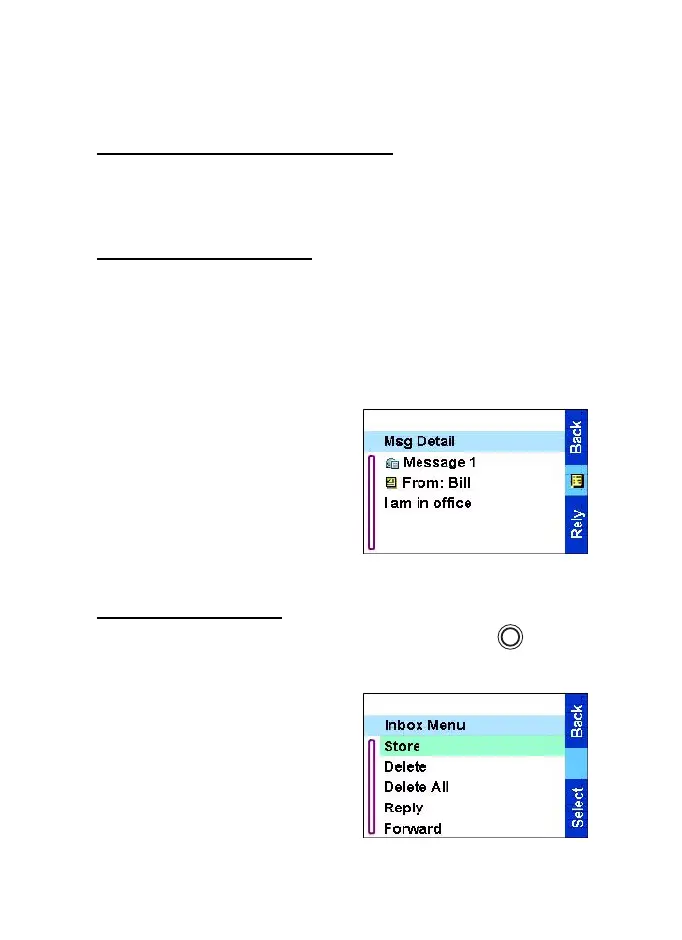
2. The display shows the
incoming message, its
number, sender, and the first
line of the text message.
Handling messages
When in the inbox or after reading the message, press and
select one of the following options:
•
Select Store and press
Select
to store the message as a
template in the template list.
•
Select Delete and press
Yes
to delete the message. When
the display shows Deleted
Message n, the current
message is deleted from the
MENU
TGR990_features.book Page 83 Thursday, December 3, 2009 9:43 AM



 To Next Page