The menu
56
Pickers
Indicate more than one number is stored with the contact.
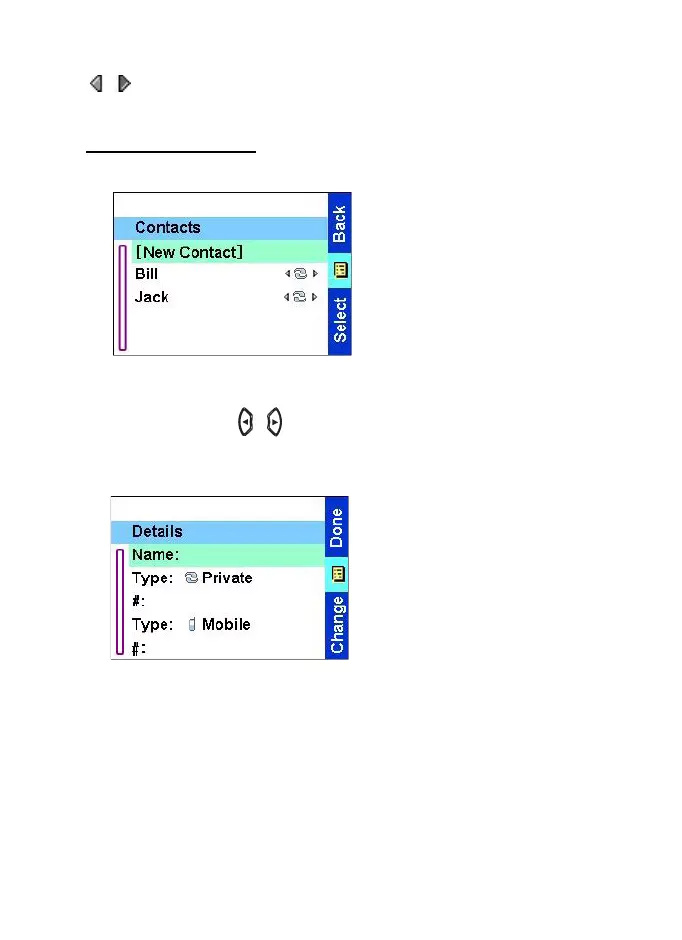
Creating a contact
1.From the Home display,
press
Contcs
. Select [New
Contact].
OR
From the
Main menu
select
Contact
. Select
[New
Contact]
.
2.Enter name. Press
Ok
to
confirm.
3. Scroll left or right / and select the type of stored number
(such as Private).
4. Enter number (#). Press
Ok
.
5.Scroll up and down the
entries. Continue to enter
other types and numbers, as
you may keep several
numbers (Private, Mobile,
Home, Work, PABX, Other,
Speed Dial number) for the
same person under the same
contact name. To correct an
entry, press
Change
.
6. When finished, press
Done
. Press
Back
to return to Home
display.
TGR990_features.book Page 56 Thursday, December 3, 2009 9:43 AM



 To Next Page