The message protocol in mul‑drop mode is dierent. Refer to Mul-drop operaon on
page 52.
5.1.2 Command and reply table denions
Explanaon of the command and reply characters.
Table 20
Command abbreviaons
Abbreviaon
Meaning
cr Carriage return character
chars Characters
d
Decimal ASCII character
*
h Hexadecimal ASCII character
r
Returned error code. Refer to Command set error
codes on page 89.
sp Space character
string Can have some ASCII characters
X
Mul-drop decimal ASCII character
§
*
Fields that have mulple d characters shows typical length. All data elds have a
maximum of 5 decimal characters (prexed by a minus number for the negave
numbers).
§
Fields that have mulple X characters shows maximum length and does not show xed
length.
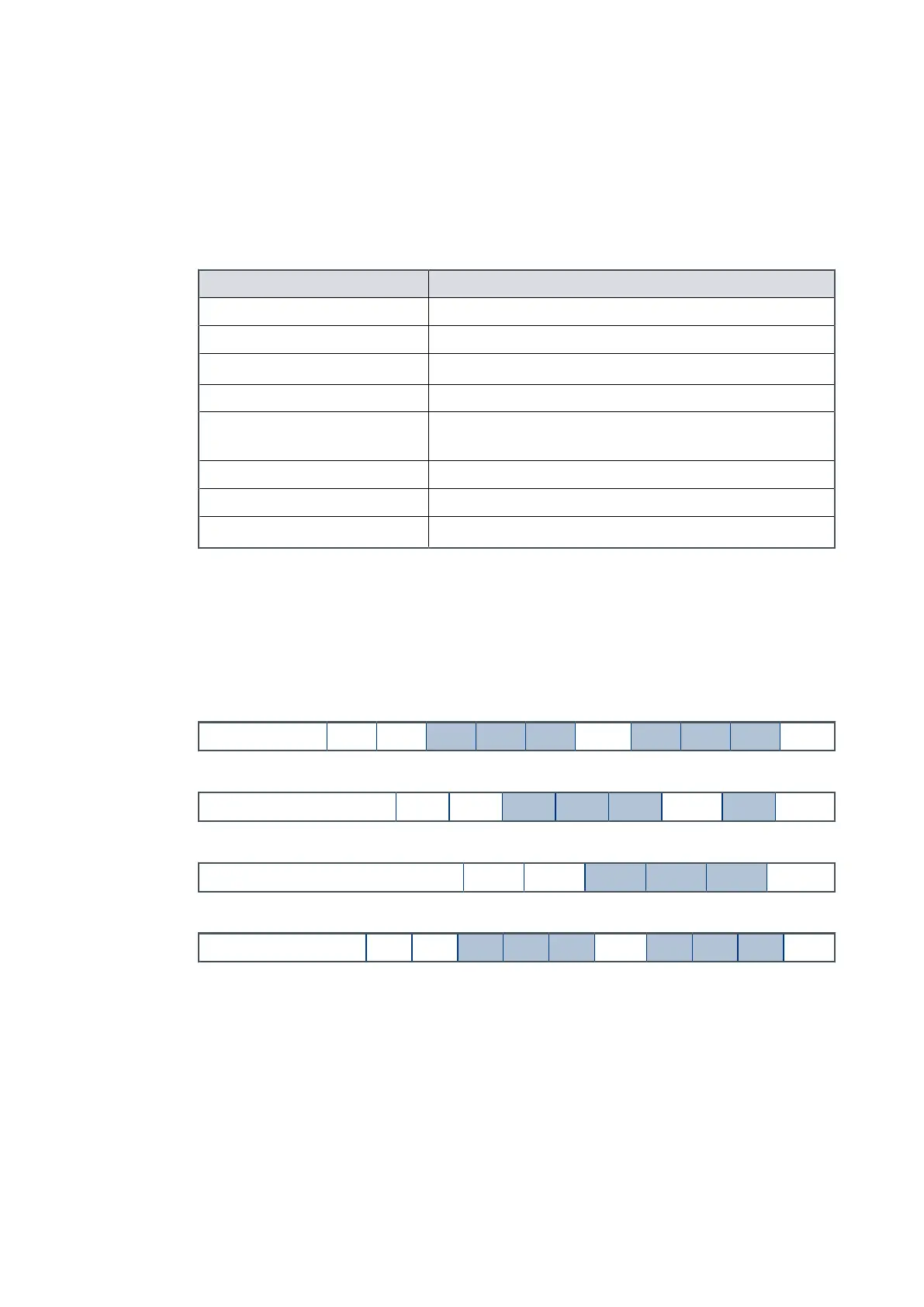
Typical seng command:
Command ! S 8 5 5 sp d d d cr
Typical seng reply:
Reply
*
S 8 5 5 sp r cr
Typical query command:
Command ? S 8 5 5 cr
Typical query reply:
Reply = S 8 5 5 sp d d d cr
5.1.3 Power limit seng
Table: Power limit seng on page 60 show the power limit seng opons for the pump.
The pump is supplied with a default power limit. If the default power limit is not
applicable for the applicaon, change the default power limit to a value between the
maximum and minimum seng.
Page 59
B8G000880_D - Conguraon



 To Next Page