Resistance welder MULTISPOT MI-100control
Operation
43
6.3 Basic settings
6.3.1 Set languages
To set the display language, proceed as follows:
1. Switch off the welder.
2. Pull the plug of the welding pliers.
3. Switch on again.
The display will show message “F35”.
4. Acknowledge by pressing the control knob.
5. Press the service button (wrench icon).
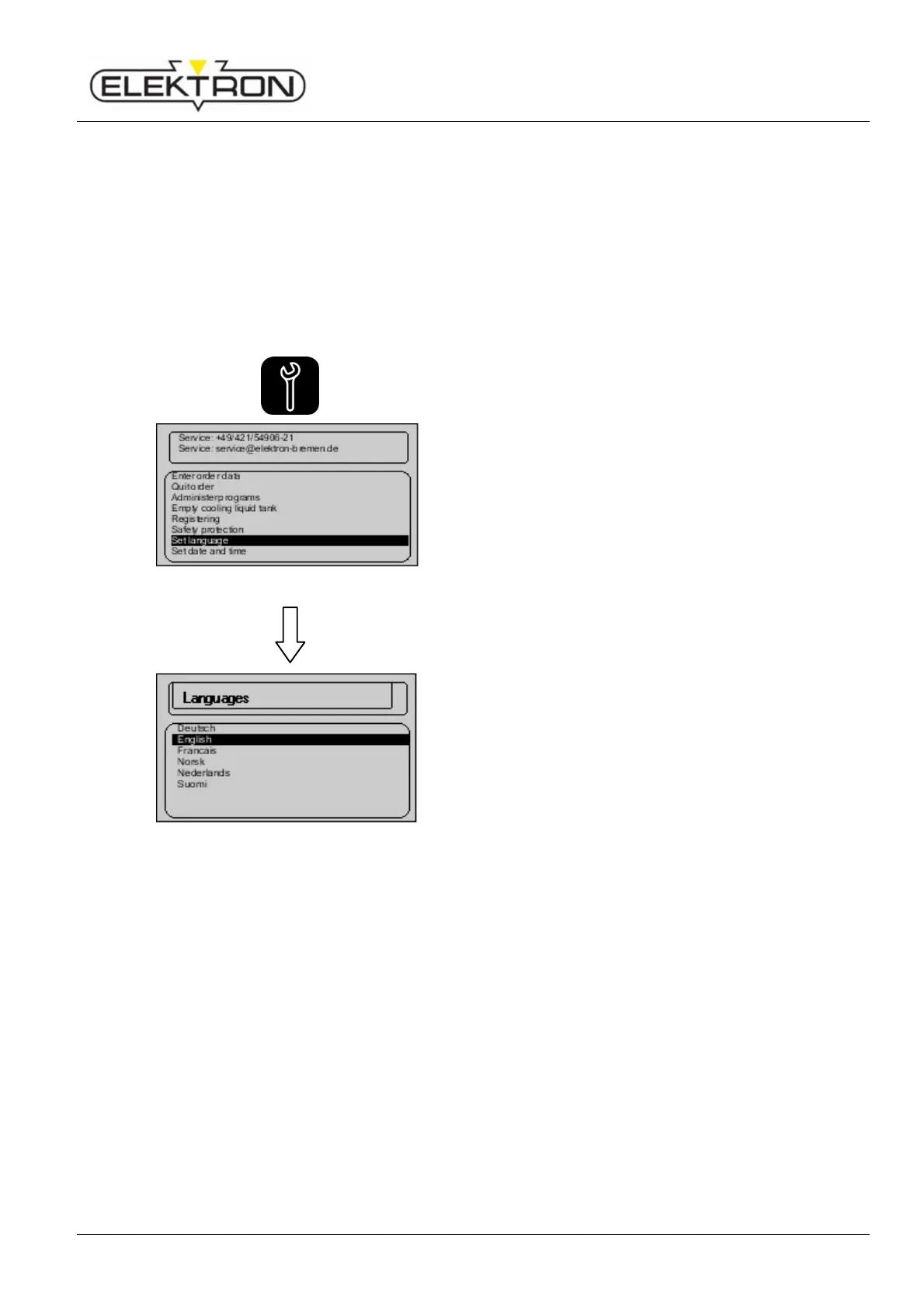
Fig. 45: Service menu (page 1)
6. Use the control knob to select menu item
“Set languages” (Fig. 45). Confirm.
Fig. 46: Languages menu
Next, the display will show a list of languages from which to
choose (Fig. 46).
7. Use the control knob to select a language. Confirm.



 To Next Page