Resistance welder MULTISPOT MI-100control
Operation
63
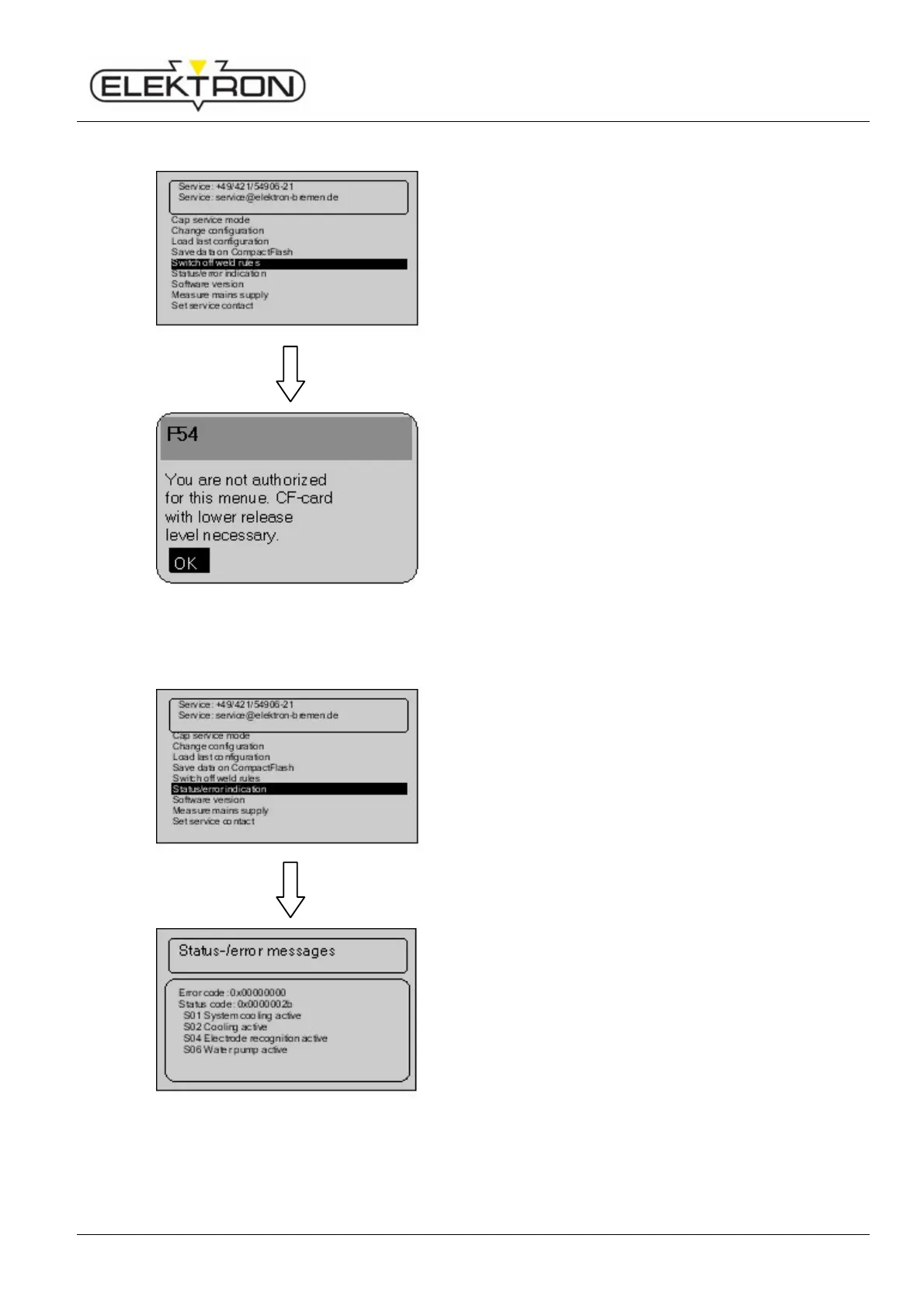
6.7.2.5 Switching off weld rules
Use the menu item “
” to switch off the
weld rules that have been pre-defined and stored in the
system.
However, you need the “Expert” CF memory card to
accomplish this.
Use the control knob to select “Switch off weld rules”. Press
to confirm.
Fig. 85: Switching off weld rules
Depending on your access rights, you may receive, for
instance, the status message shown on the left.
6.7.2.6 Calling up status and error messages
Use the menu item “Status / error messages” to display the
current software version(s) installed on the welder.
Use the control knob to select “Status / error messages”.
Press to confirm.
Fig. 86: Calling up status and error messages
You will see the status and error message shown here on the
left.



 To Next Page