Resistance welder MULTISPOT MI-100control
Operation
59
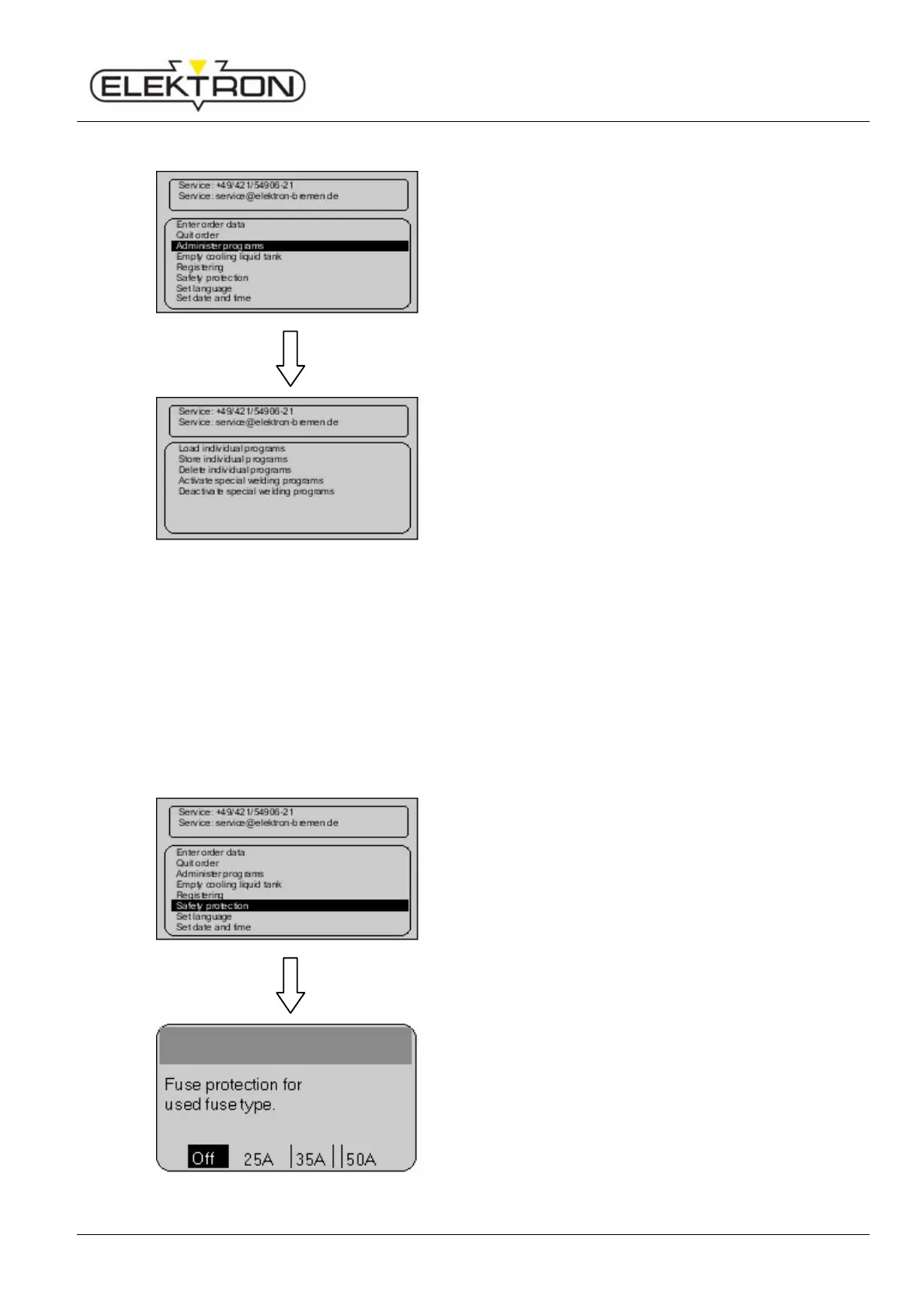
6.7.1.3 Administering programs
For organising and administering existing programs, use
menu item “Administer programs”. Proceed as follows:
Use the control knob to select “Administer programs”. Press
to confirm.
Fig. 78: Administering programs
Loading individual programs from the CF memory card.
Storing individual programs for future transfer.
Deleting individual programs.
Activating special welding programs.
Deactivating special welding programs.
6.7.1.4 Emptying cooling system
see “8.2.3”
6.7.1.5 Registering welder
see “6.3.2”
6.7.1.6 Activating fuse protection
Menu item “Fuse protection” is for calling up a time delay
after welding in order to protect the fuses against overheating.
Fuse protection is off by default.
1. Use the control knob to select “Fuse protection”. Press
to confirm.
Fig. 79: Menu “Fuse protection”
2. Select the fuse protection setting you need. Press to
confirm.



 To Next Page