Resistance welder MULTISPOT MI-100control
Operation
47
6.4.2.2 Setting welder in mode “Keyboard operation”
Fig. 53: Selecting the control mode
Use the control knob to select mode
“Program selection”. Confirm.
2. Use a calliper gauge to measure the sheet gauges for the
welding job at hand.
3. Determine the pertinent gauges for the job using the
following table.
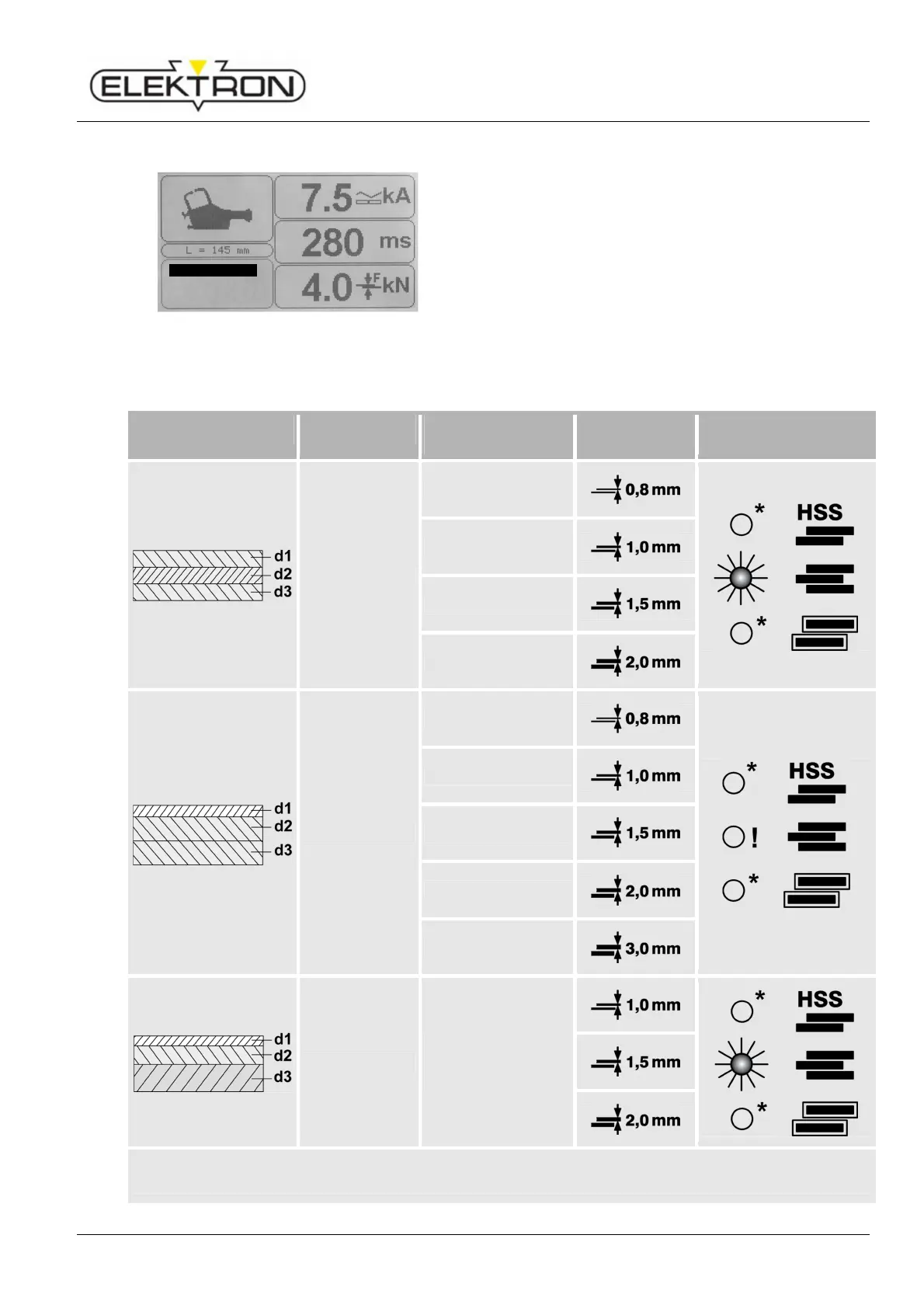
4. Using the following table, determine the set value
required. Use the touch keys (Fig. 53) to enter the set
value.
Welding job Ratio of sheets
Set value Selection
d1 = d2 = d3
0,8 + 0,8 + 0,8
1,0 + 1,0 + 1,0
1,5 + 1,5 + 1,5
2,0 + 2,0 + 2,0
d2 ≈ d3
2,0 + 0,8 + 0,8
0,8 + 1,0 +1,0
0,8 + 1,5 + 1,5
0,8 + 2,0 + 2,0
0,8 + 3,0 + 3,0
d1 < d2 < d3
d1 + d2 + d3 ≤ 3
Select next higher
set value.
(*) optionally ON or OFF
(!) “3 sheets” OFF
3
Keyboard
Program selectio
Free mode



 To Next Page