Resistance welder MULTISPOT MI-100control
Operation
58
6.7.1 Service menu settings (page 1)
Press service button on the control panel - once.
This will call up the “Service” menu (page 1).
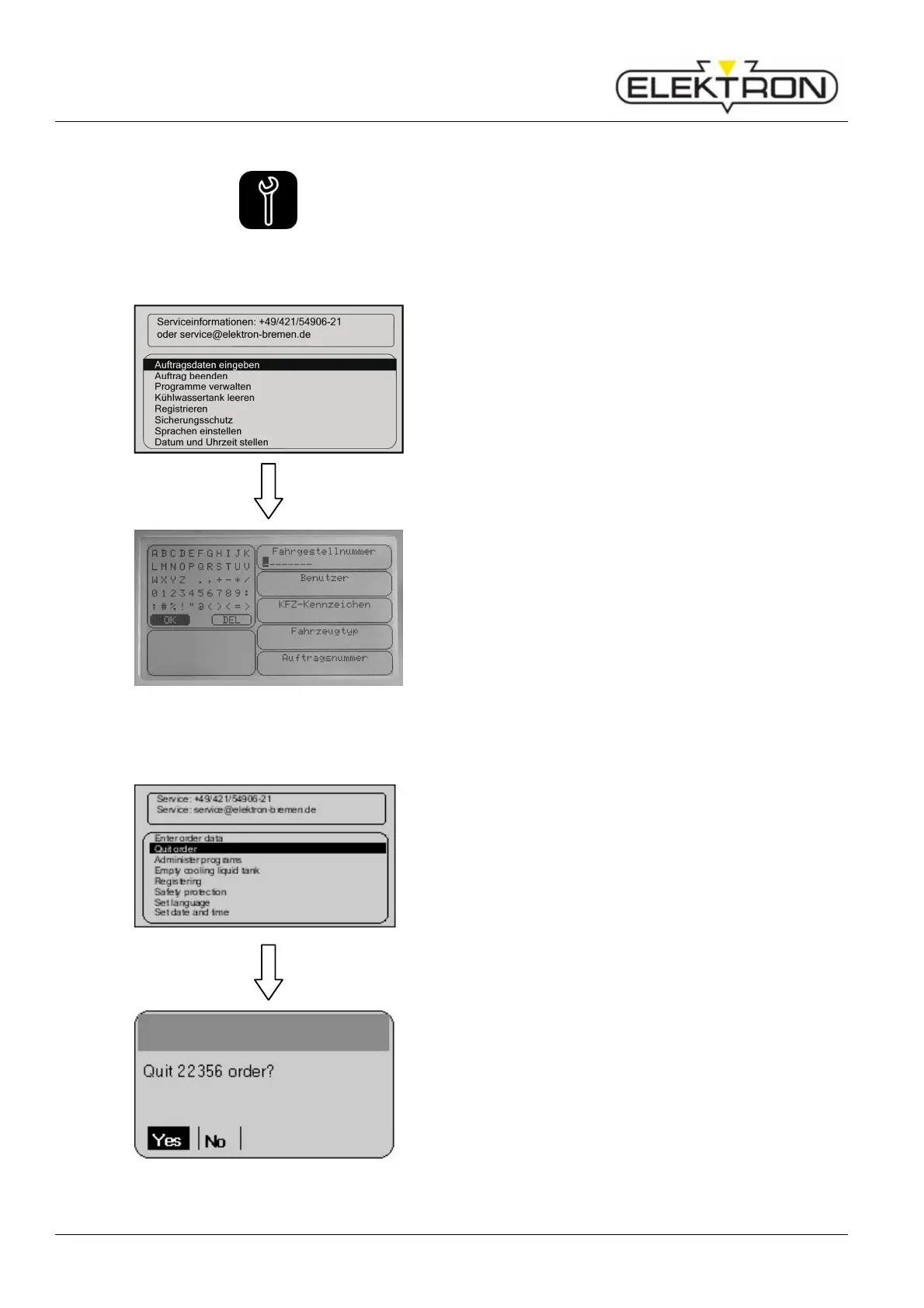
6.7.1.1 Enter order data
Enter the order data under menu item “Enter order data”:
Use the control knob to select “Enter order data”. Press to
confirm.
Fig. 76: Categories of information
Vehicle number
User ID
Vehicle licence number
Type of vehicle
Order number
If the control does not detect activities over 60 mins., the data
must be either 75 confirmed or modified.
6.7.1.2 Concluding an order
Menu item “Quit order” is for concluding an order.
Use the control knob to select “Quit order”. Press to confirm.
Fig. 77: Concluding an order
As soon as “Yes” has been pressed, all welding data of the
order are stored and can be read and / or printed with the
program.



 To Next Page