Resistance welder MULTISPOT MI-100control
Operation
51
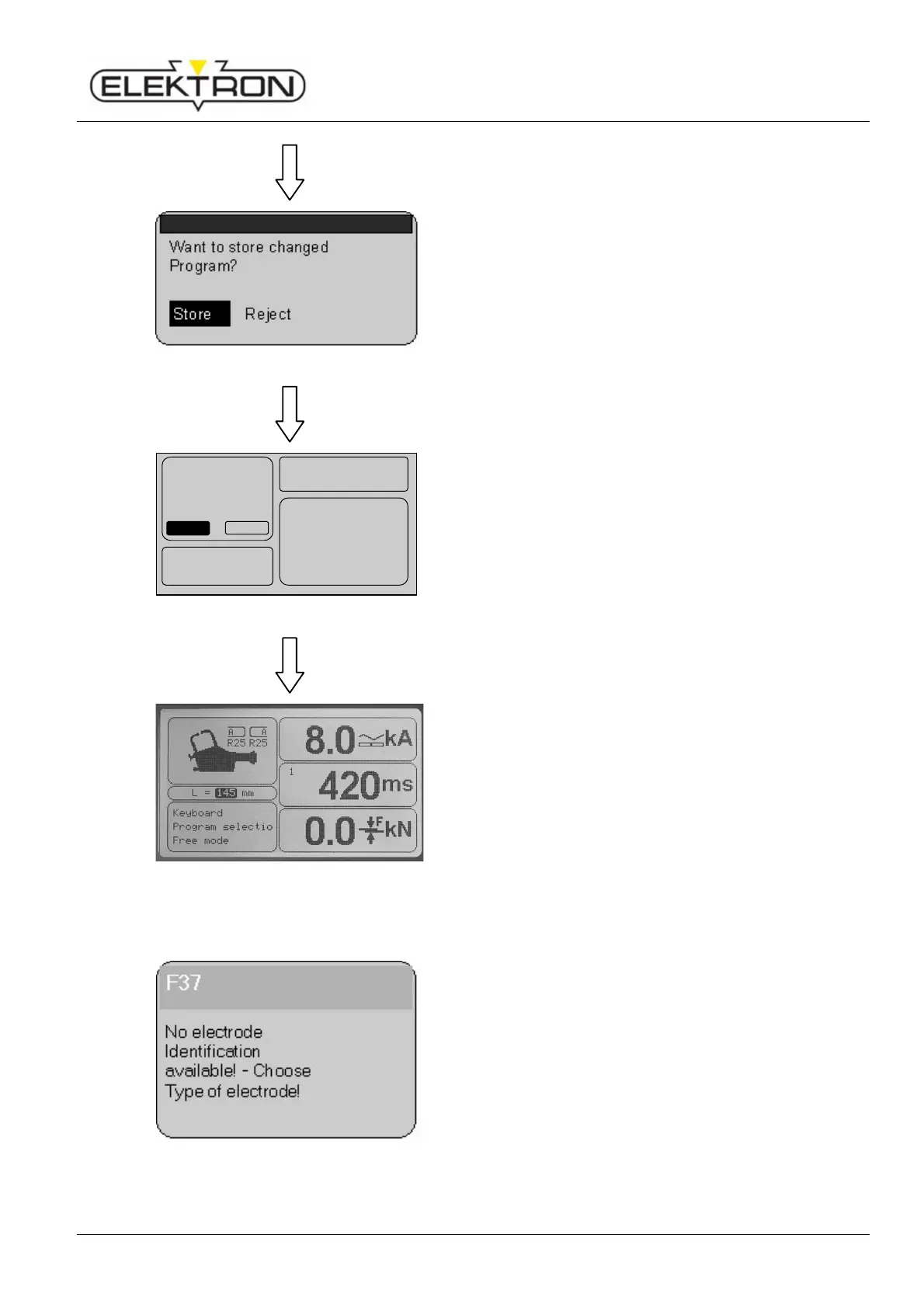
Fig. 64: Dialogue prompting to store or reject
2. Press control knob again.
You will see the following prompt: “Want to store
changed program?” (Fig. 64).
3. Use the control knob to select “Store”. Confirm.
Fig. 65: Entering program name and info
In the following dialogue box, enter a Program name and
Program info, if required.
4. Use the control knob to enter and confirm the characters
you need to write the text.
5. When finished, select “OK”. Confirm.
The new program has now been stored in the folder
“Individual programs”.
Fig. 66: Main menu
6. To continue, press the control knob.
The display takes you back to the main menu.
6.4.3 Electrode recognition
Fig. 67: No electrode recognition
The MULTISPOT MI-100control and the electrode arms are
equipped with an automatic electrode recognition system.
Electrodes are being identified automatically, and the length is
shown on the display.
If the automatic electrode recognition is off or does not work,
(Fig. 67), the length of the electrodes must be entered
manually. Proceed as follows:
There will be an error message. Acknowledge using the
control knob.
A B C D E F G H I J K
L M N O P Q R S T U V
W X Y Z . , +
. , + . , +
. , + -
--
-
•
••
•
/
0 1 2 3 4 5 6 7 8 9 :
::
:
;
; ;
; # % ! " @ ( )
<
=
>
DEL
OK
OKOK
OK
Program name:
- - - - - - - - - - - - - - - - - - -
Program info :
- - - - - - - - - - - - - - - - - - -
- - - - - - - - - - - - - - - - - - -
- - - - - - - - - - - - - - - - - - -
- - - - - - - - - - - - - - - - - - -



 To Next Page