Resistance welder MULTISPOT MI-100control
Operation
46
6.4.2.1 Keyboard operation
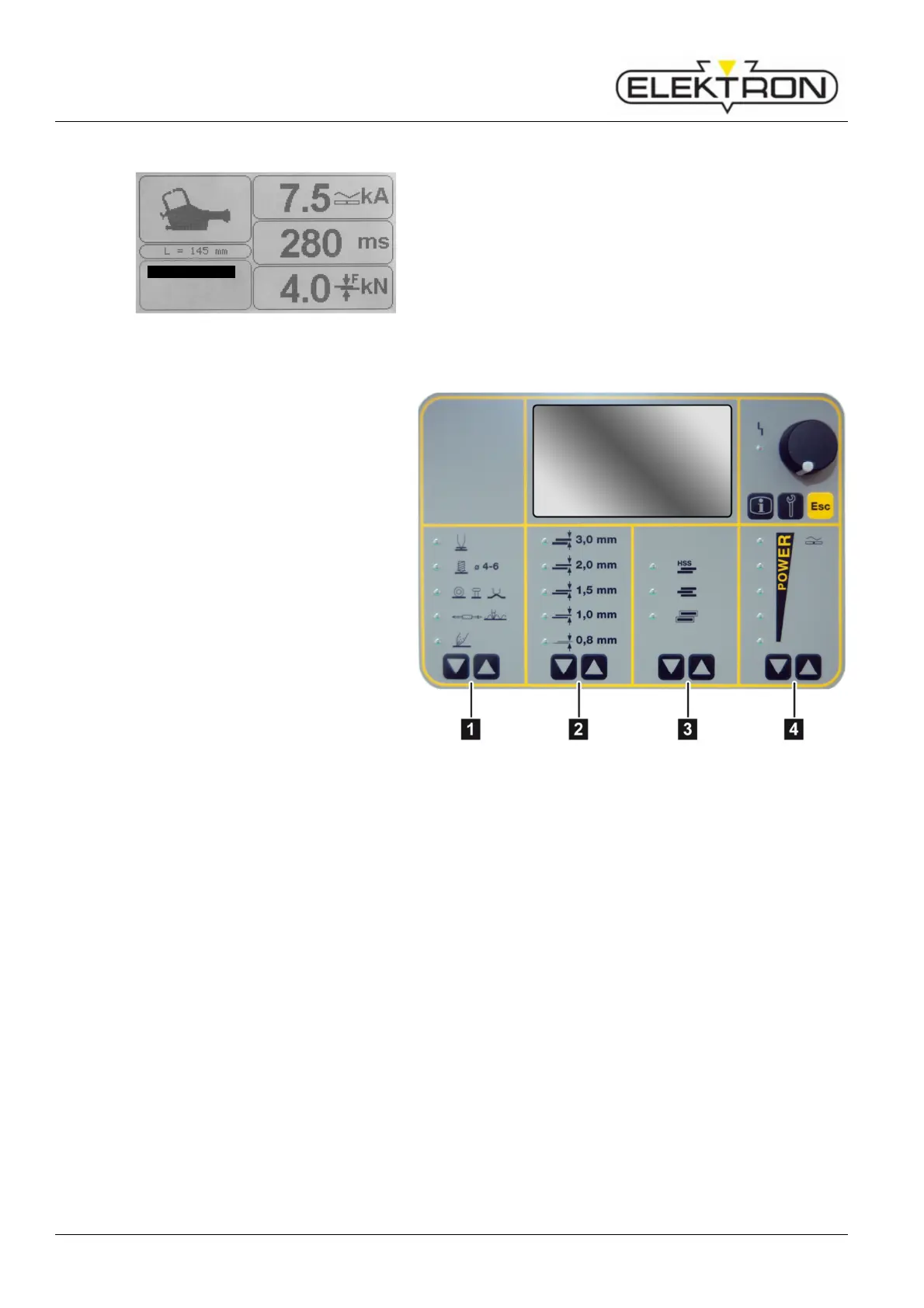
Fig. 51: Selecting the control mode
For the welding job at hand, the following parameters may be
set manually:
Tool
Sheet gauge
Material, number of sheets , description
Weld current
1 Selecting welding gun,
active only if a welding gun has
been installed.
2 Selecting sheet gauge,
weld current and time will be
calculated and displayed.
3 Selecting material combination,
weld current and time will be
calculated and displayed.
4 Manual selection of weld current,
If weld current is changed
manually, the weld time will be
adjusted automatically.
Fig. 52: Touch keys on control panel
3
Keyboard
Program selectio
Free mode



 To Next Page