Resistance welder MULTISPOT MI-100control
Operation
44
6.3.2 Register welder
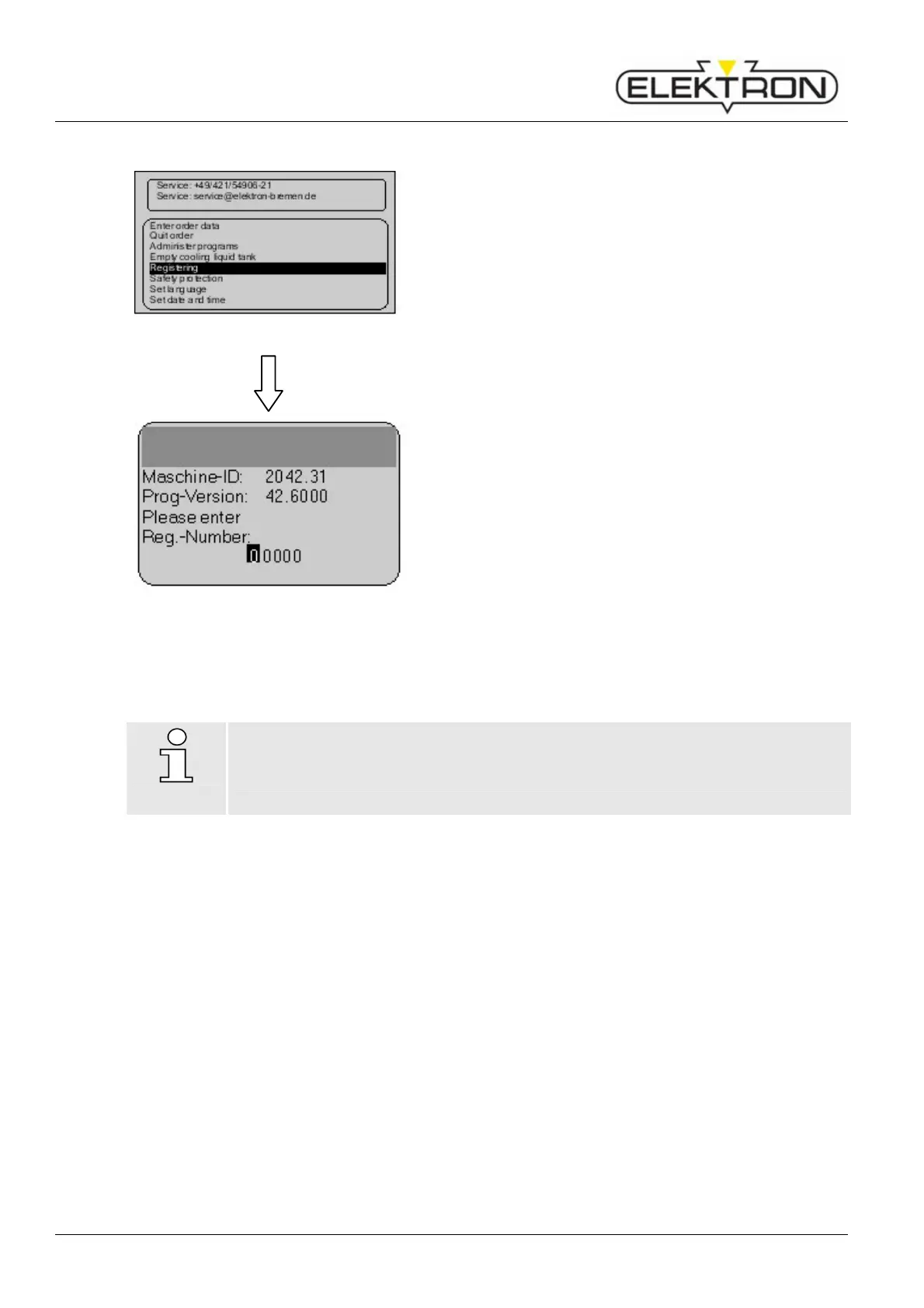
Fig. 47: Menu item „Registering”
Menu item “Registering” displays the equipment info.
The equipment may be registered.
Registering is required, if you want to use the “Free mode”
and “Program mode”.
1. Use the control knob to select menu item “Registering”.
Confirm.
Fig. 48: Registering the welder
The display shows the equipment info (Fig. 48).
2. Write down equipment ID and software version.
3. Go to the ELEKTRON website: www.elektron-
bremen.de.
Call up the “Product registration” page. Enter your data.
4. Fill in all the information in the online form in order to
obtain the best possible service.
As soon as we have received your registration data, we send
you an email with your registration number.
5. Enter the registration no. in menu item “Registering” of
the service menu.
NOTE!
Make sure your data is correct. Otherwise, your welder will not be cleared.
Registration must be carried out within 120 days after delivery.



 To Next Page