Resistance welder MULTISPOT MI-100control
Operation
65
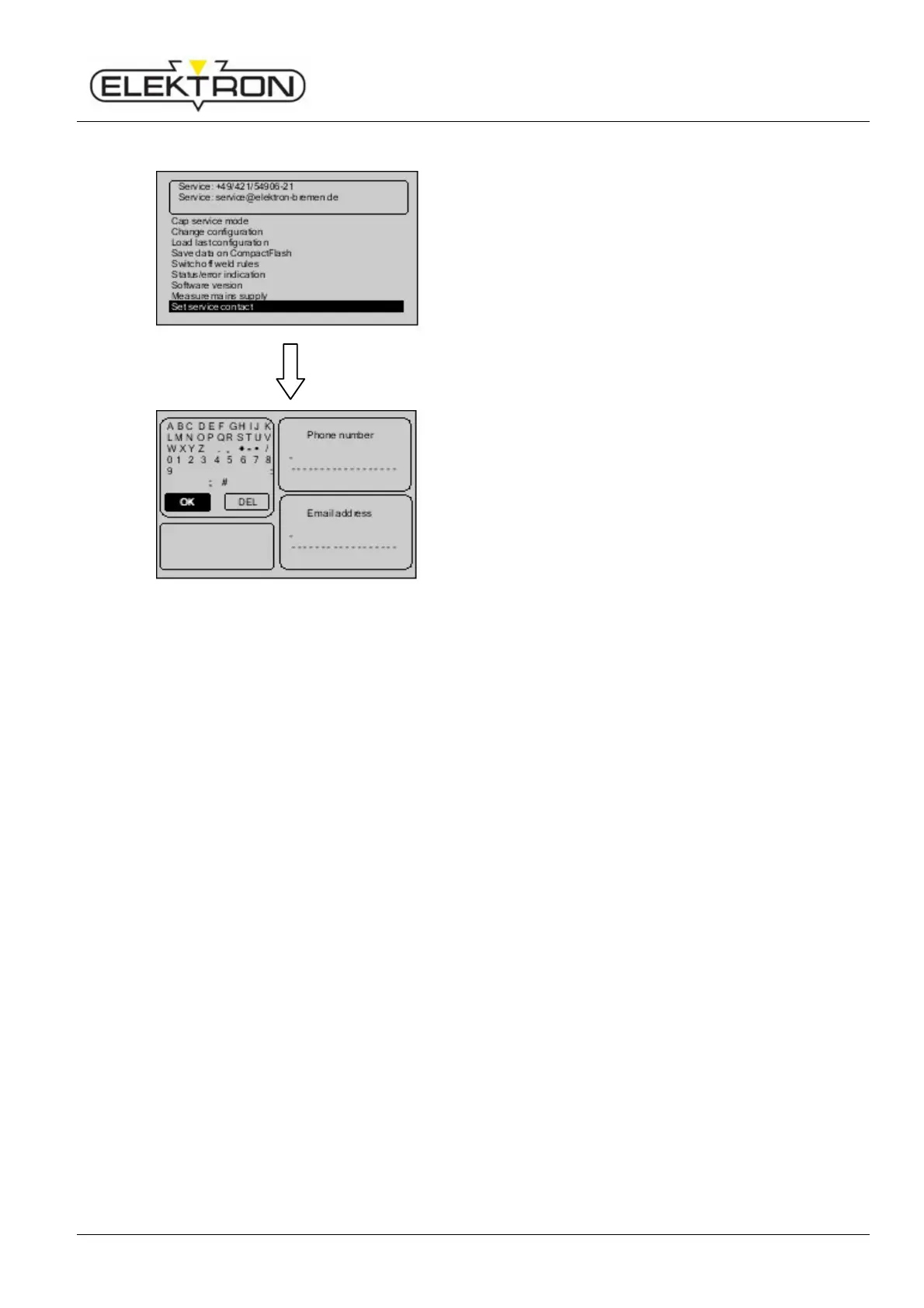
6.7.2.9 Modifying service address
Use the menu item “Set service contact” to modify the
service phone and email data displayed at the top of the
menu. Instead of the pre-set data, you may also set the
address of your local dealer.
1. Use the control knob to select “Set service contact”.
Press to confirm.
Fig. 89: Modifying service address
You will see the dialogue box shown here on the left.
2. If necessary, use the control knob to modify and confirm
contact data.
6.8 Updating software
ELEKTRON software option for spot welding equipment
CD-ROM + compact-flash memory card (CF memory card)
or
Update by email (You will need a compact flash memory card reader.)
Option: CD-ROM + CF card
The CD-ROM contains the documentation explaining the use of the OEM weld programs.
The documentation refers only to OEM weld programs and contains information on
programs to be used, electrode arms, welding positions and number of spots to be applied
on certain bodies. (Depends on OEM and may vary from type to type). The documentation is
in PDF format and can be read and printed using Adobe's Acrobat Reader.
The compact flash memory card contains all the program data concerning the X (MTX-4900)
and the C pliers (MTC-5000) you will need for an update.
Option: Update by email
We send you the update file by email. Before you start, you must copy and backup the “.elk”
file located on the CF memory card of the welder.



 To Next Page