Resistance welder MULTISPOT MI-100control
Operation
66
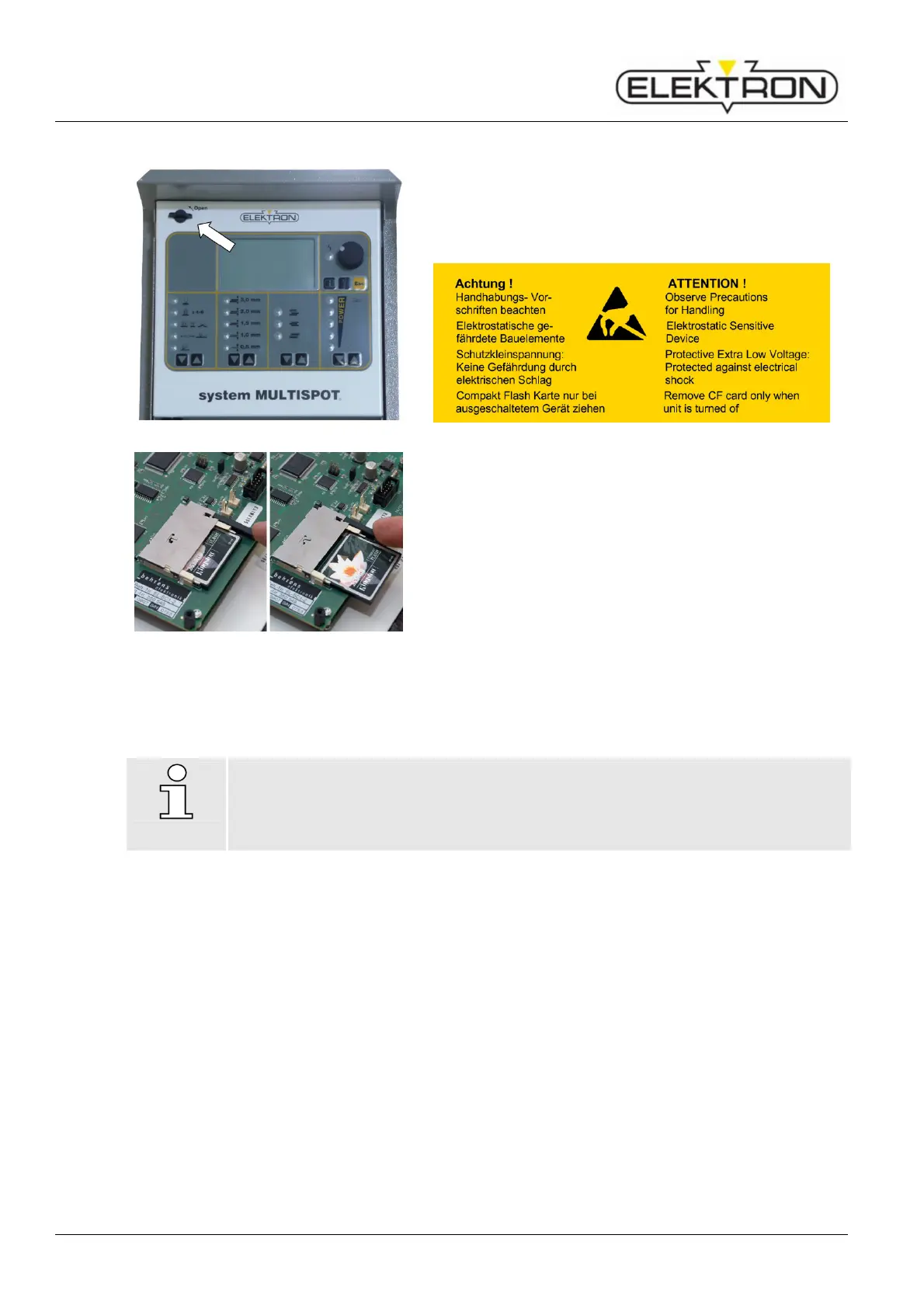
Updating - proceed as follows
Fig. 90: Open the front panel
1. Switch off the welder.
2. Turn the knob on the left counter-clockwise (Fig. 90).
3. Swing out the control unit.
Fig. 91: Exchanging the CF memory card
Press the eject button to remove the CF memory card
(Fig. 91).
5. Insert the new (or updated) CF memory card into the card
reader slot.
6. Close the control unit, and turn the knob on the left
clockwise.
7. Switch the welder back on.
The welder will boot up and automatically download the
update data to the control unit.
8. You can simply acknowledge the next message by setting
the control knob to “OK”.
You can now call up the programs using the menu
“Program selection”.
NOTE!
Please check; if new registering is necessary (
see “6.3.2”). If it is not necessary, a
message will be shown after entering the menu item “Registering”.



 To Next Page