Resistance welder MULTISPOT MI-100control
Operation
57
6.6 Calling up welding parameters
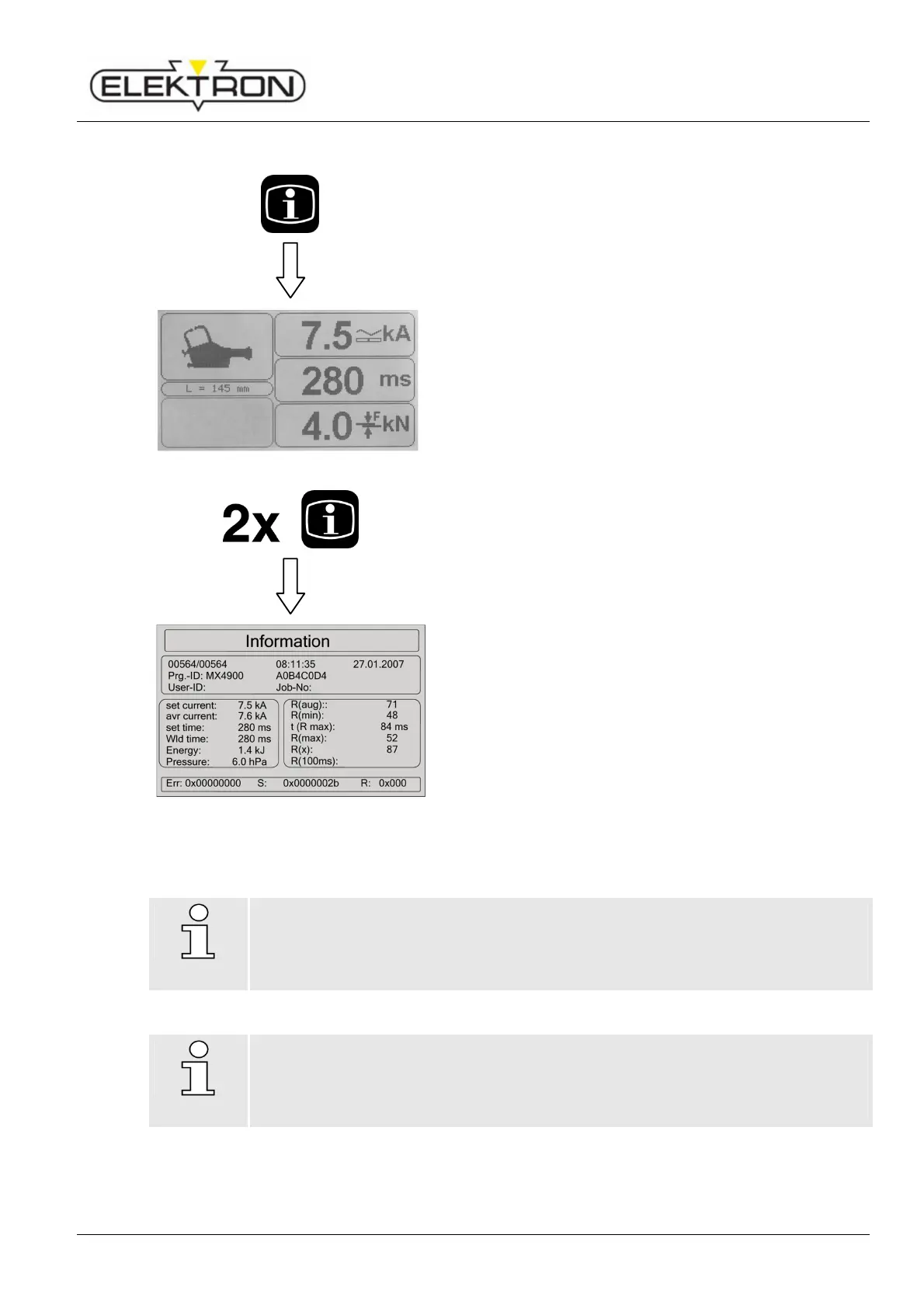
Press Info button once.
Fig. 74: Displaying main welding parameters
This will call up the current values of the most important
welding parameters for the last welding job (Fig. 74):
Weld current
Weld time
Contact force (electrodes)
Press Info button twice.
Fig. 75: Displaying all parameters
This will call up all the welding parameters (Fig. 75).
6.7 Settings in the service menu
NOTE!
The access and edit rights of some of the menus depend on the settings defined in
ELEKTRON’s key file. If you should have any questions or need additional rights,
please contact us.
NOTE!
Any service settings not described in this manual must be handled by skilled service
personnel, exclusively. They do not have any influence on the functionality of the
welder.
Actual values
Folie MX
MX4900 AØB4CØD4



 To Next Page