35
On-screen Help Movie
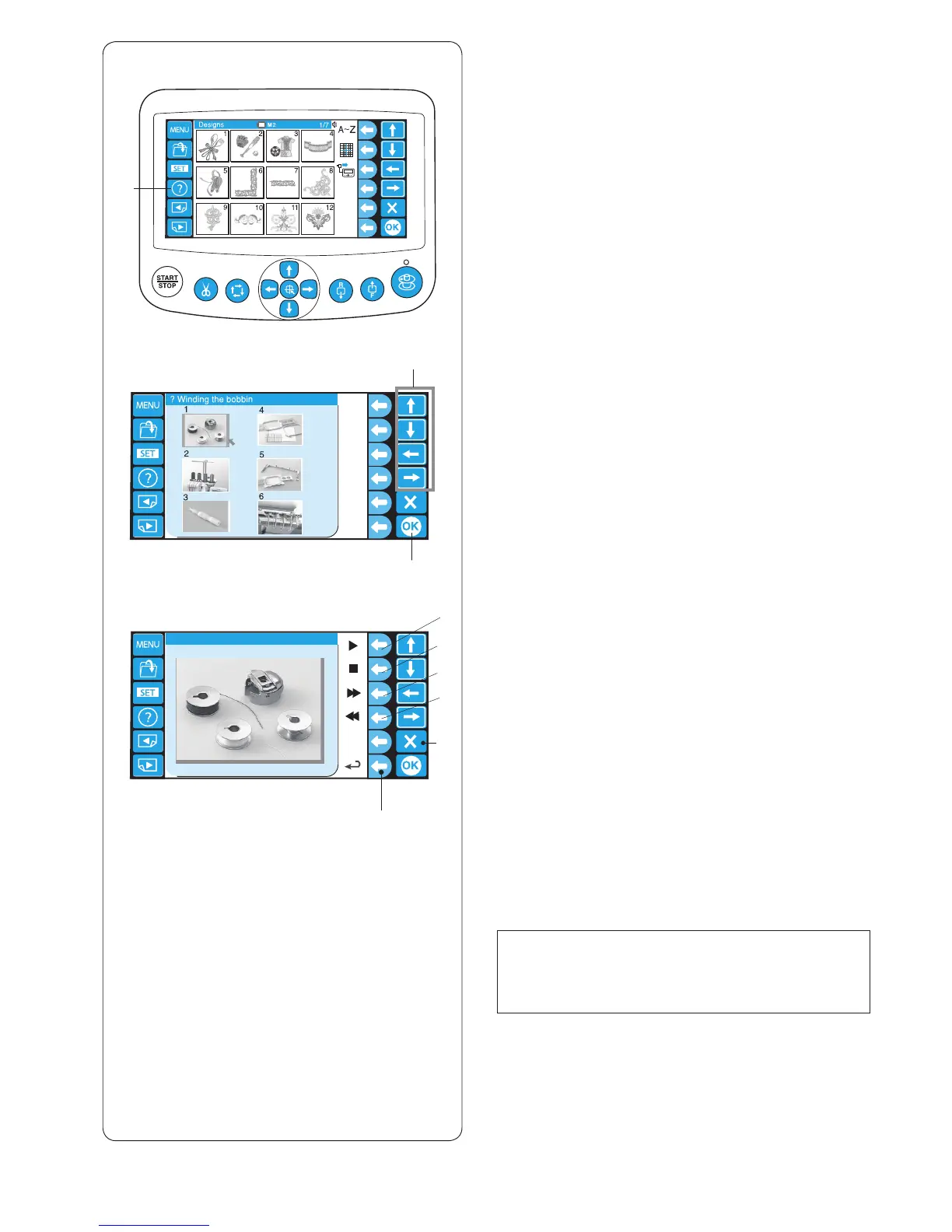
z Press the help (?) key to open the help movie menu.
You can view 6 help topics of essential operations.
q Help key
q
w
e
i
o
y
r
t
u
x
z
c v
x Select the help topic you wish to view by pressing the
arrow keys and press the OK key.
w Arrow keys
e OK key
Help topics:
1 Winding the bobbin 4 Stretching the fabric
2 Threading the machine 5 Attaching the hoop
3 Threading the needle 6 Changing needles
c Press the function key (playback) next to the playback
icon to start the help movie.
Press the function key (stop) next to the stop icon to
stop playing.
You can search the movie in forward or reverse
direction by pressing the circle key next to the fast
forward or rewind icon.
r Function key (playback)
t Function key (stop)
y Function key (fast forward)
u Function key (rewind)
v Press the function key next to the return icon to go
back to the help menu or press the exit (X) key to exit
the help mode.
i Function key (return)
o Exit key
NOTE:
The machine you have purchased may differ from
the one depicted in the help movie due to updating or
improvement.















 To Next Page