53
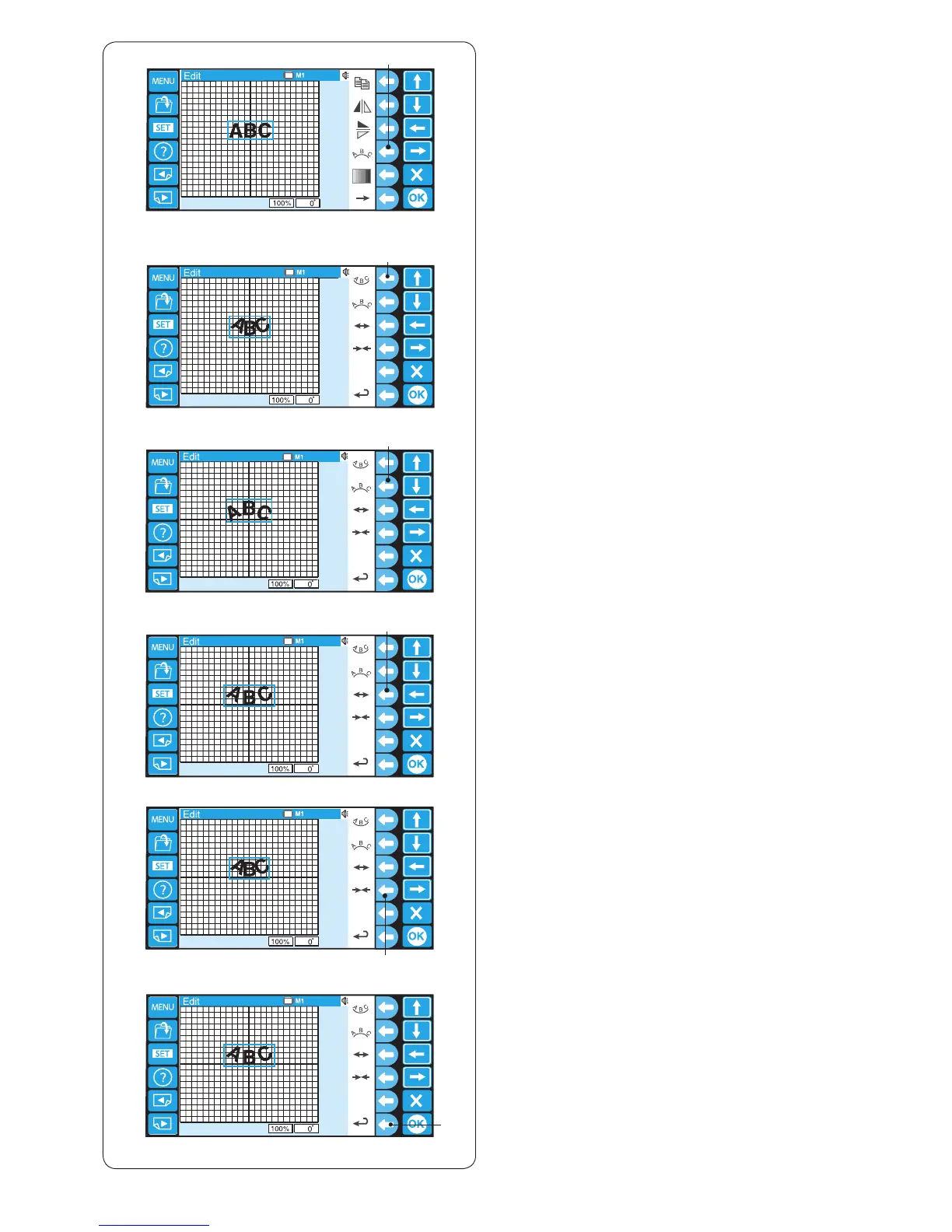
x The alternate function key assignment will appear.
Press the function key next to the lower arc icon to
make a lower arc.
w Function key (lower arc)
Monogramming in an arc
You can make a monogramming in an upper or lower arc.
z Enter the characters in the editing mode.
Press the function key next to the arc icon.
q Function key (arc)
q
y
t
r
e
w
z
x
c
v
b
n
c Press the function key next to the upper arc icon to
make a upper arc.
e Function key (upper arc)
v Press the function key next to the outward arrow icon
to enlarge the arc.
r Function key (outward arrow)
b Press the function key next to the inward arrow icon to
shrink the arc.
t Function key (inward arrow)
n After adjusting the arc shape, press the function key
next to the return icon to go back to the previous
display.
y Function key (return)















 To Next Page