54
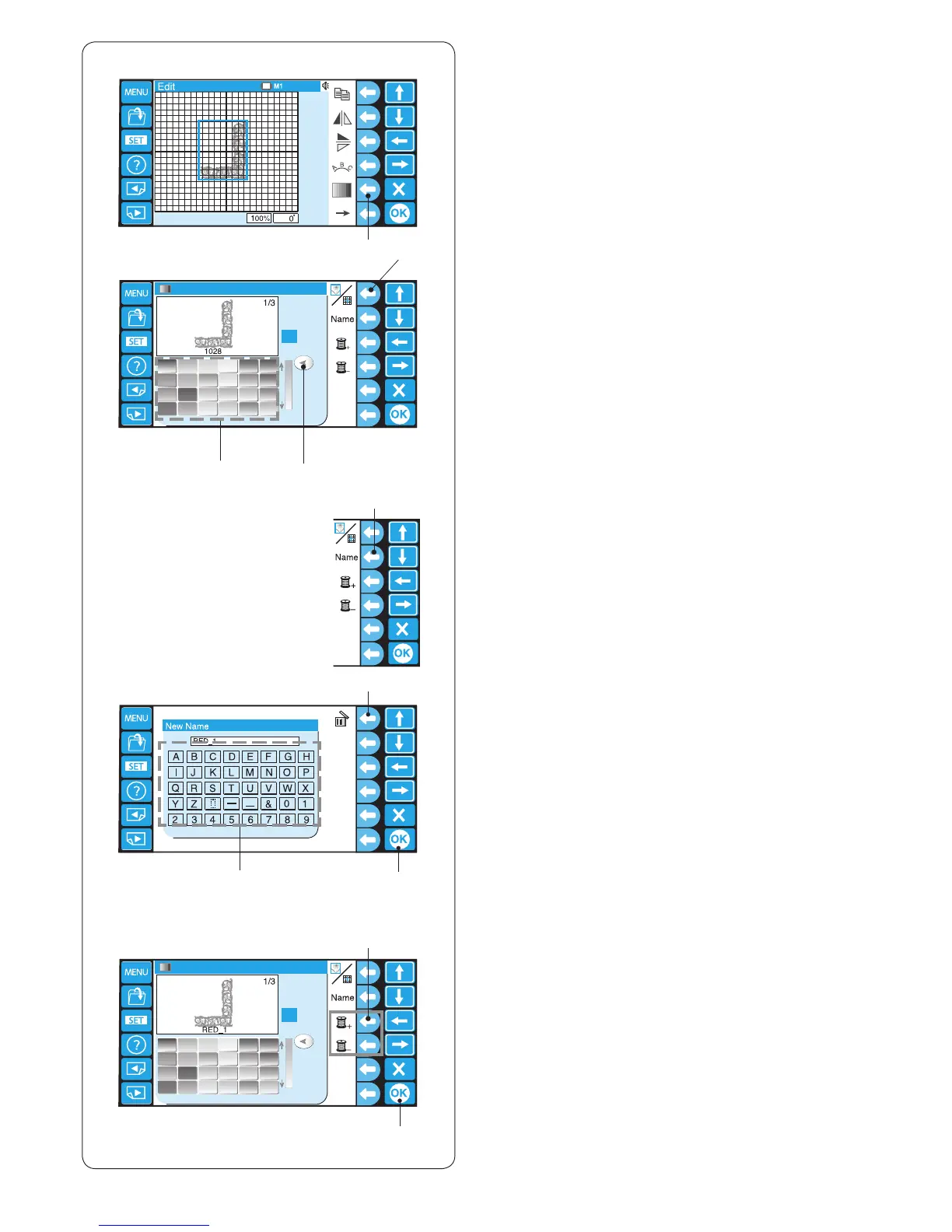
Customizing the color setting
The background color of the editing screen and section
color of the pattern image can be changed to simulate
the actual colors of the fabric and threads.
z Press the function key next to the color icon and the
color palette window will open.
q Function key (color)
q
w
e
r
t
y
i
u
!0
o
z
v b
n m
x c x Press the function key next to the screen/section icon
to select the colors of the screen or pattern.
w Function key (screen/section)
c Press the desired color icon to choose and drag the
slider to adjust the shade of the color.
e Color icon
r Slider
v If you wish to assign a name to the customized color,
press the function key next to the Name icon.
The keyboard window will open. Enter the desired
name.
t Function key (Name)
y Keyboard
To delete a wrong entry, press the function key next to
the delete icon. The last character will be deleted.
u Function key (delete)
b Press the OK key.
i OK key
n To select the color of the next section, press the
function key (next color section or previous color
section) and select the color following the procedure
c – b.
o Function keys (next color section/previous
color section)
m Press the OK key.
!0 OK key















 To Next Page