File Management
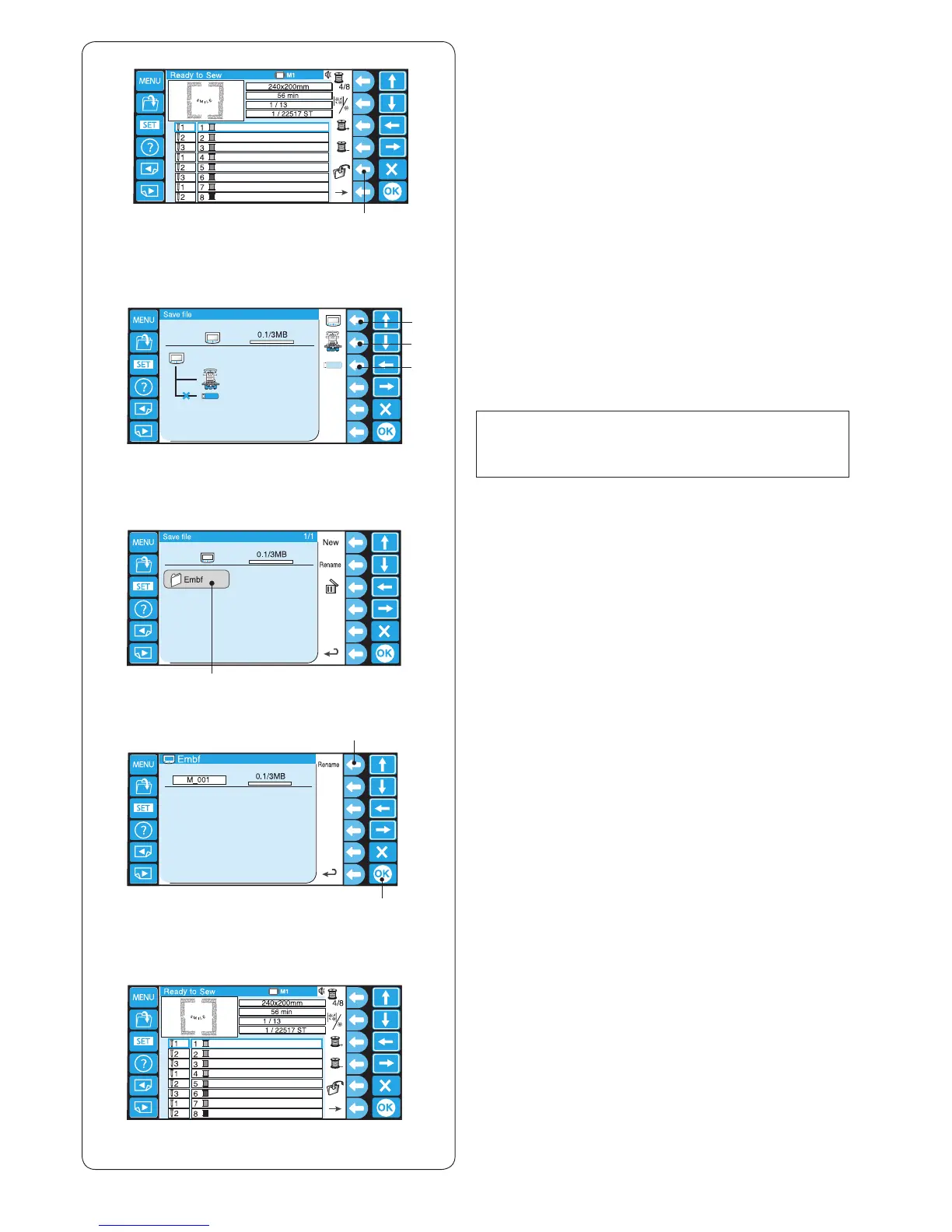
Saving the Pattern as a File
z Press the function key next to the save le icon in the
Ready to Sew mode.
q Function key (save le)
y
z
x
c
v
b
x Press the function key next to the icon of the memory
location to where you wish to save the le.
w Function key (RCS)
e Function key (machine)
r Function key (USB)
NOTE:
If the memory devices are not connected to the RCS
unit, the icon of the device will be grayed out.
c The folder list window of the selected memory location
will open.
Press the desired folder icon to open.
t Folder icon
v The le list window of the selected folder will open.
If there is no le saved in the folder, a blank list will be
displayed.
The le name will be automatically assigned from
M_001. To assign the desired name to the le, press
the function key next to Rename (refer to page 79).
Press the OK key to save the pattern as a le.
y OK key
u Function key (Rename)
b The screen will return to the Ready to Sew window
and the le will be saved under the assigned name.















 To Next Page