52
q
w
q
Duplicating the pattern
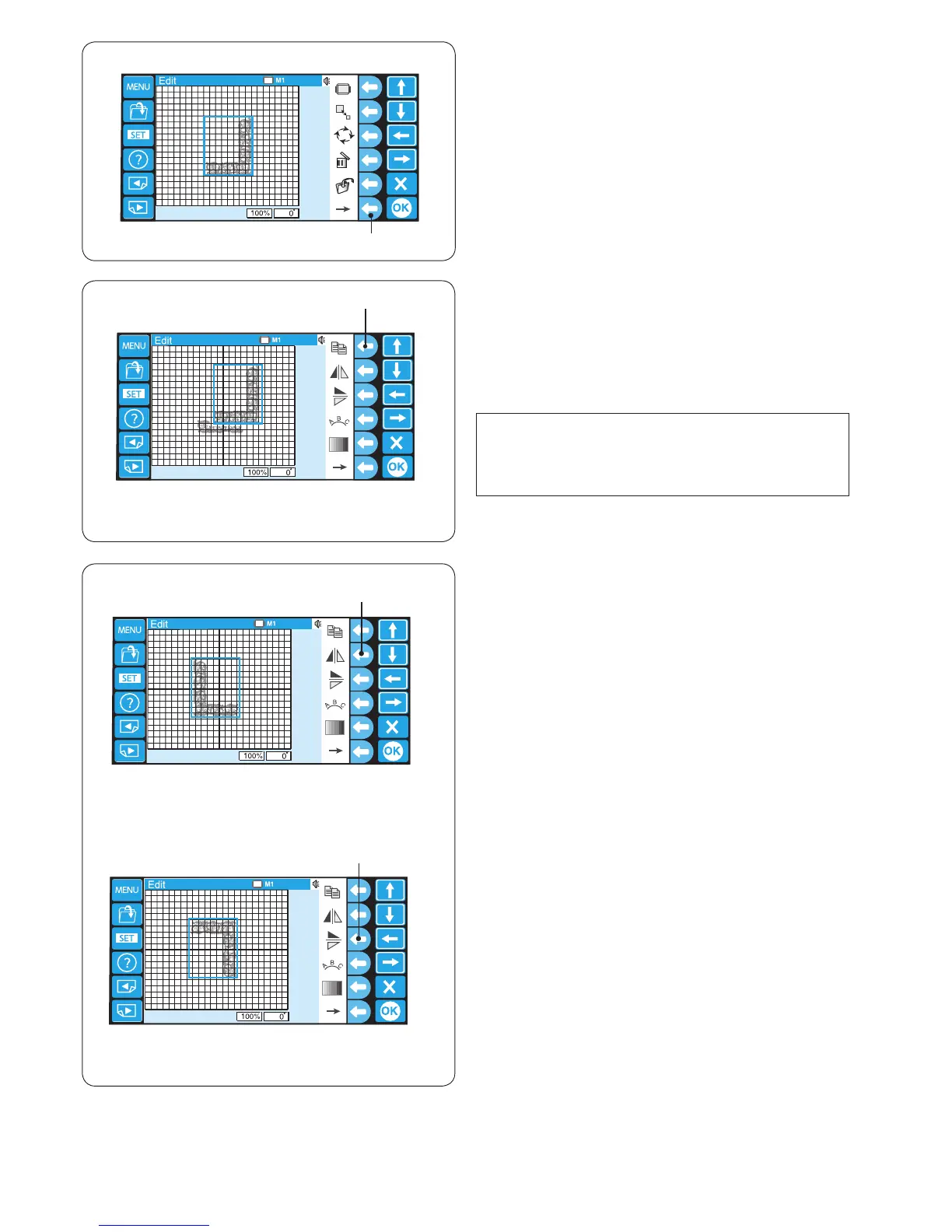
Press the function key next to the copy icon to duplicate
the pattern.
The selected pattern is indicated with a green frame.
q Function key (duplicate)
NOTE:
The original pattern will be superimposed with a copy.
Move the copy to show the original pattern.
Refer to page 50 for moving the pattern.
q
Alternate function key assignment
To show the alternate function key assignment, press the
function key next to the right arrow icon.
q Function key (right arrow)
Flipping the pattern
To ip the pattern vertically, press the function key next to
the ip vertical icon.
The selected pattern is indicated with a green frame.
q Function key (ip vertical)
To ip the pattern horizontally, press the function key next
to the ip horizontal icon.
w Function key (ip horizontal)















 To Next Page