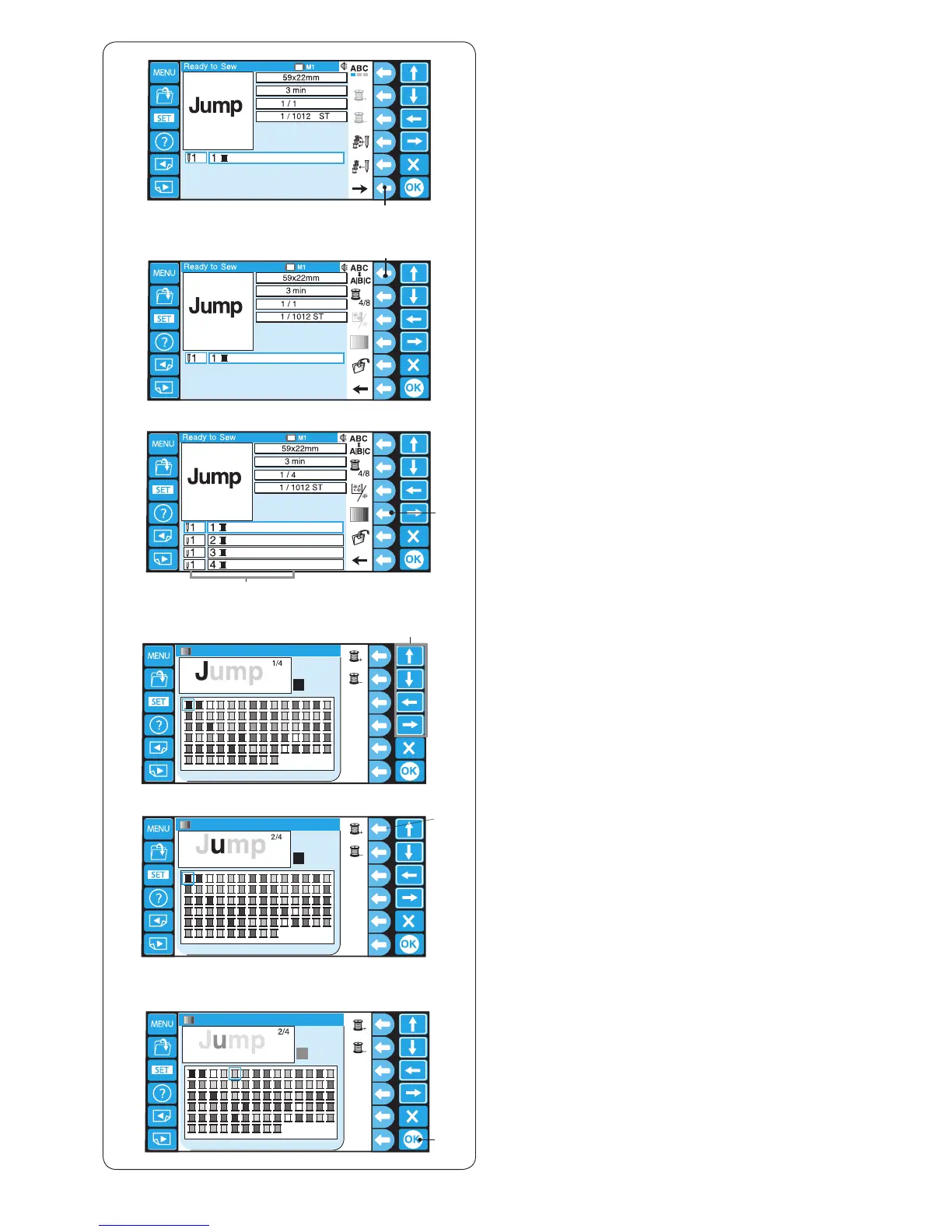
Multi-color monogramming
You can sew a multi-color monogramming by assigning
different thread color to each character.
z Press the function key next to the right arrow icon to
show the alternate function key assignment.
q Function key (right arrow)
q
z
x
c
v
b
n m
v Select the desired color from the color palette by
pressing the arrow key.
t Arrow keys
n Select the desired color for the second color section.
Repeat the steps c – n to assign the colors to all
characters.
m Press the OK key to conrm the color setting.
u OK key
e
y
u
c The color list will appear.
Press the function key next to the custom color icon.
e Function key (custom color)
r Color sections
t
r
b Press the function key next to the next color section
icon.
y Function key (next color section)
x Press the function key next to the separation/unite
icon.
w Function key (separation/unite)















 To Next Page