In the monogramming mode, you can select 10 styles of
fonts, 2-letters, 3-letters, border patterns and normal sew
patterns.
ADVANCED OPERATION WITH THE
OPTIONAL RCS UNIT
Selecting the Embroidery Patterns
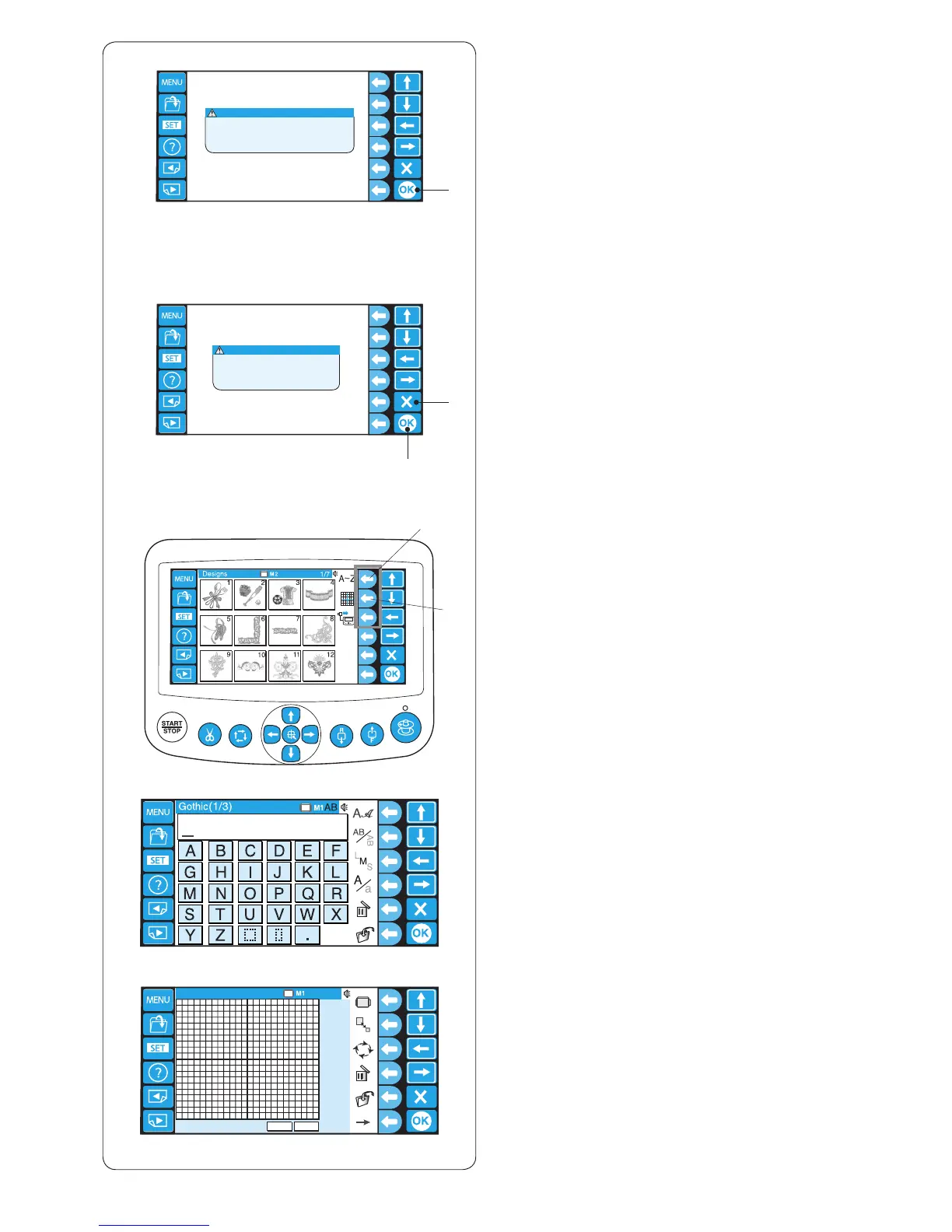
When turning the power on, the LCD touch panel will
show the opening window, then a warning message will
appear after a few seconds.
z Press the OK key and the carriage will move to the
home position. Keep your hands clear of the moving
parts.
q OK key
q
q
e
r
w
c To select the monogramming or editing mode, press
the function key next to the monogram or editing icon.
e Function key (monogram)
r Function key (editing)
In the editing mode, you can modify and combine
embroidery patterns.
x
z
c
x The LCD touch panel will show a prompt asking you
to resume the last pattern or not.
Press the OK key, if you wish to continue sewing the
last pattern used before you turned the power off.
Or press the exit key (X) to start a new project.
w Exit key (X)
When you press the exit key (X), the LCD touch panel
will show the pattern selection window of the built-in
designs.















 To Next Page