z x c
q
w
q
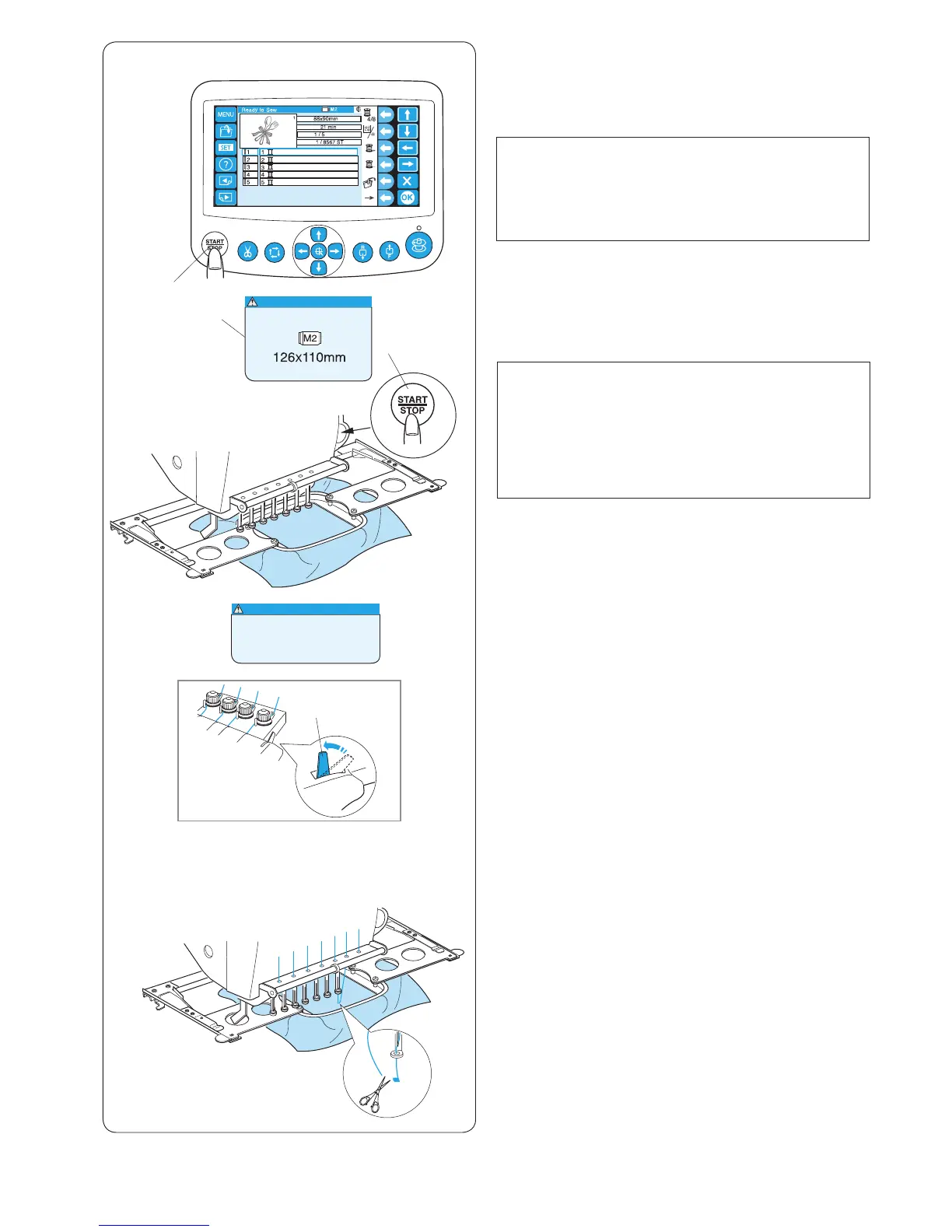
v Press the START/STOP button to stop the machine.
Trim the thread at the beginning.
b Press the START/STOP button again.
The machine will sew up and stop automatically.
Re-thread each needle with the next color and press the
START/STOP button to continue sewing.
v b
e
Starting to Embroider
z Select the pattern you wish to sew.
The LCD touch panel shows the Ready to Sew
window.
NOTE:
The embroidery result may vary depending on the
fabric and threads used.
Make a test embroidery using the same fabric and
threads before sewing on the actual garment.
x Press the START/STOP button, the LCD screen will
show the reminder asking you to conrm the hoop
type to be used.
q START/STOP button
w Reminder message
NOTE:
If you press the START/STOP button when the
tension release lever is in the open position, a
warning message will appear.
Pull the tension release lever up to close the tension
disk.
e Tension release lever
c Check the hoop size and press the START/STOP
button again to sew a few stitches.
q START/STOP button
w Reminder message















 To Next Page