41
Auto color assignment
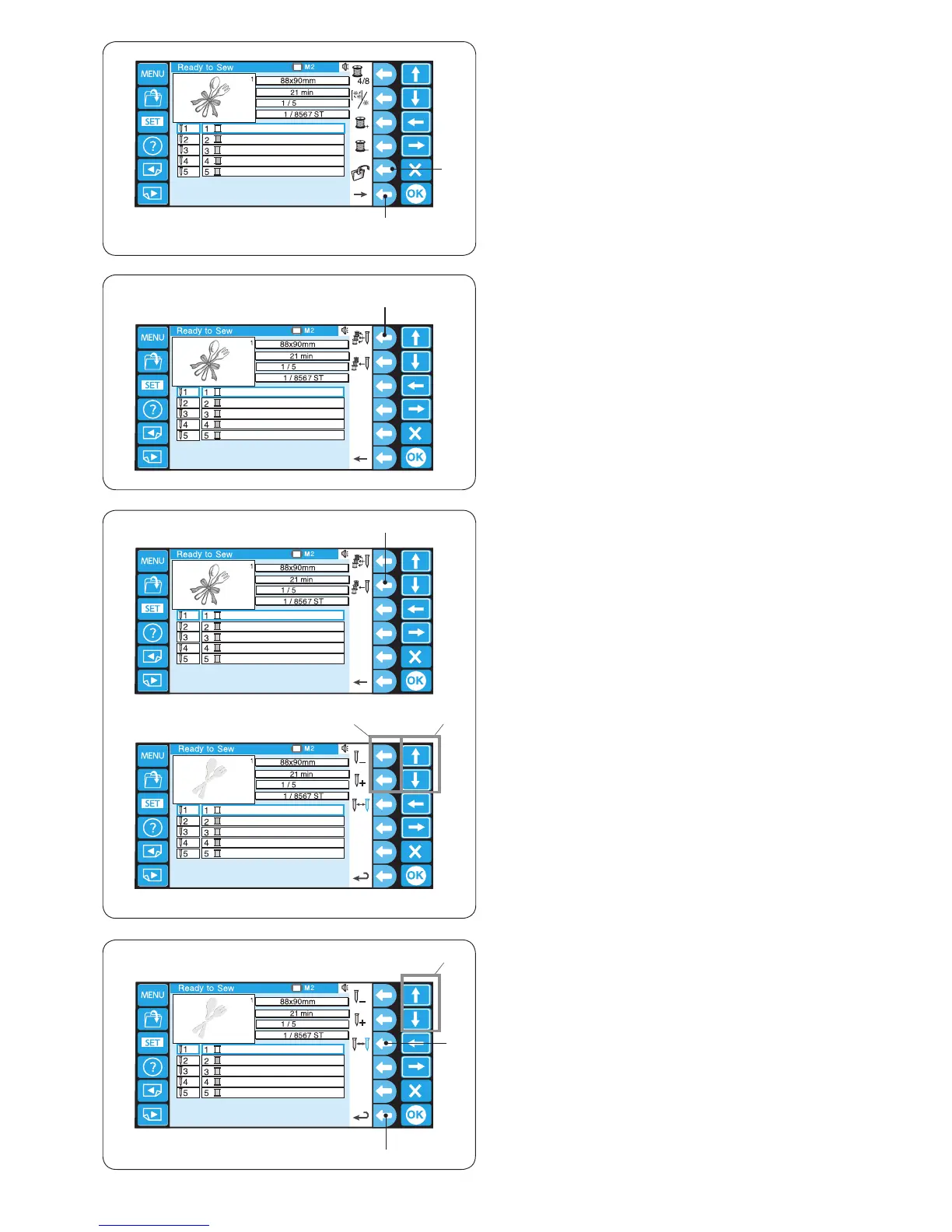
Press the function key next to the auto color assignment
icon to assign the colors automatically.
e Function key (auto color assignment)
Saving the le
Press the function key next to the save le icon to save
the pattern as a le.
* Refer to page 78 for detailed instructions.
q Function key (save)
* To show the alternate function key assignment, press
the function key next to the right arrow icon.
w Function key (right arrow)
Manual color assignment
Press the function key next to the manual color
assignment icon and the manual color assignment will
open.
r Function key (manual color assignment)
Press the arrow keys to select the color section.
Press the function key (a needle bar with “+” or “–”) to
select the needle bar to which you wish to assign the
previously sewn color.
t Arrow keys
y Function key (needle bar with “+” / “–”)
u
t
y
Color change
Select the color section where you wish to stop the
machine for re-threading by pressing the arrow keys.
Press the function key next to the stop icon and the
selected needle bar number will turn red.
t Arrow keys
u Function key (stop)
* To return to the previous display (Ready to Sew
window), press the function key next to the return icon.
i Function key (return)















 To Next Page