Disconnecting the RCS Unit
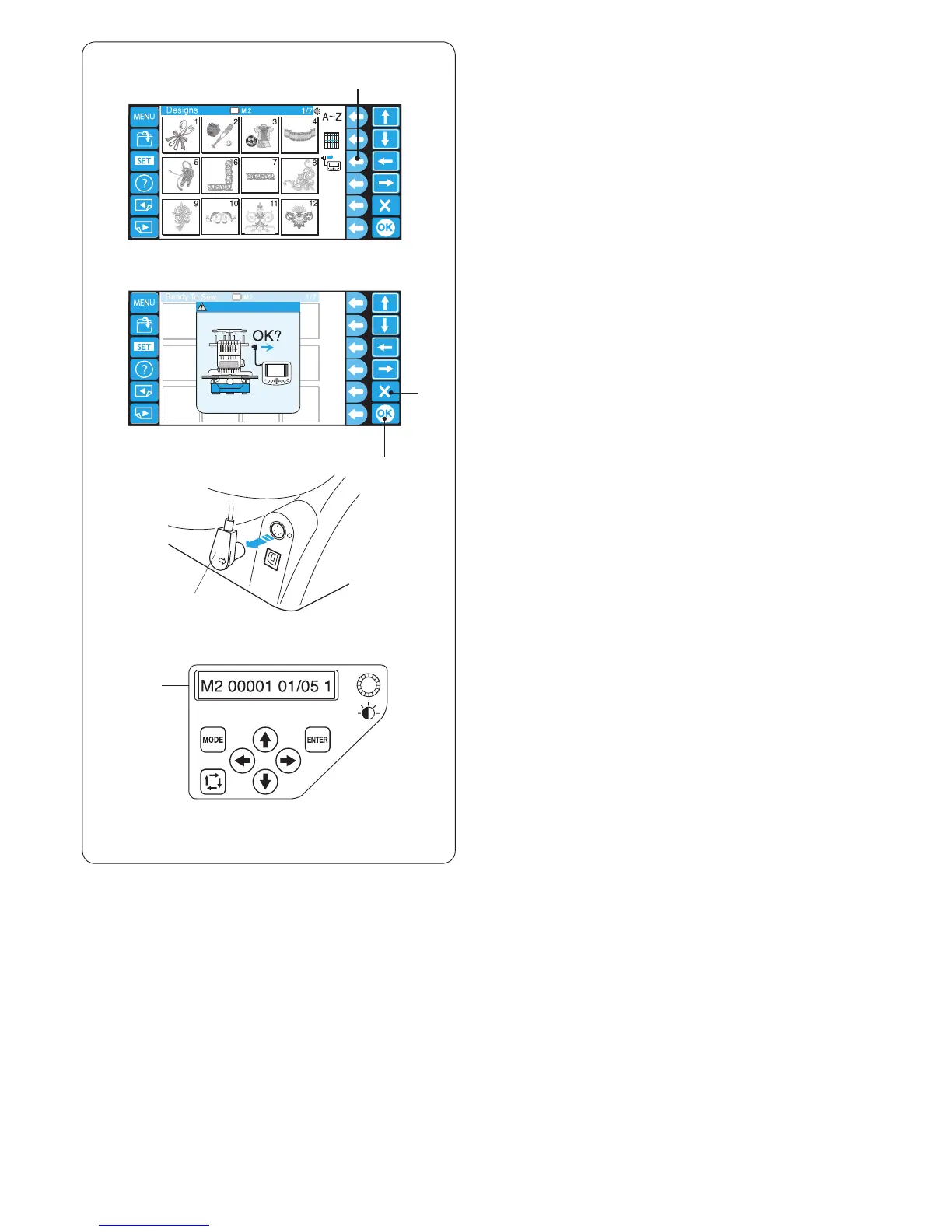
z Press the function key next to the RCS icon.
q Function key (RCS)
r
t
q
e
w
x The conrmation dialog box will open.
Press the OK key and the LCD touch panel turns off.
* Press the exit key to go back to the previous display.
w OK key
e Exit key
c Disconnect the RCS connector from the machine.
r RCS connector
v The LCD screen of the sub control panel will display
the setting corresponding to the LCD touch panel of
the RCS unit.
t Sub control panel
* To operate the machine with the RCS unit, insert the
connector into the connector socket again.
* Do not connect or disconnect the RCS unit while
embroidering, or transferring the data between the
machine and the PC.
x
z
c
v















 To Next Page