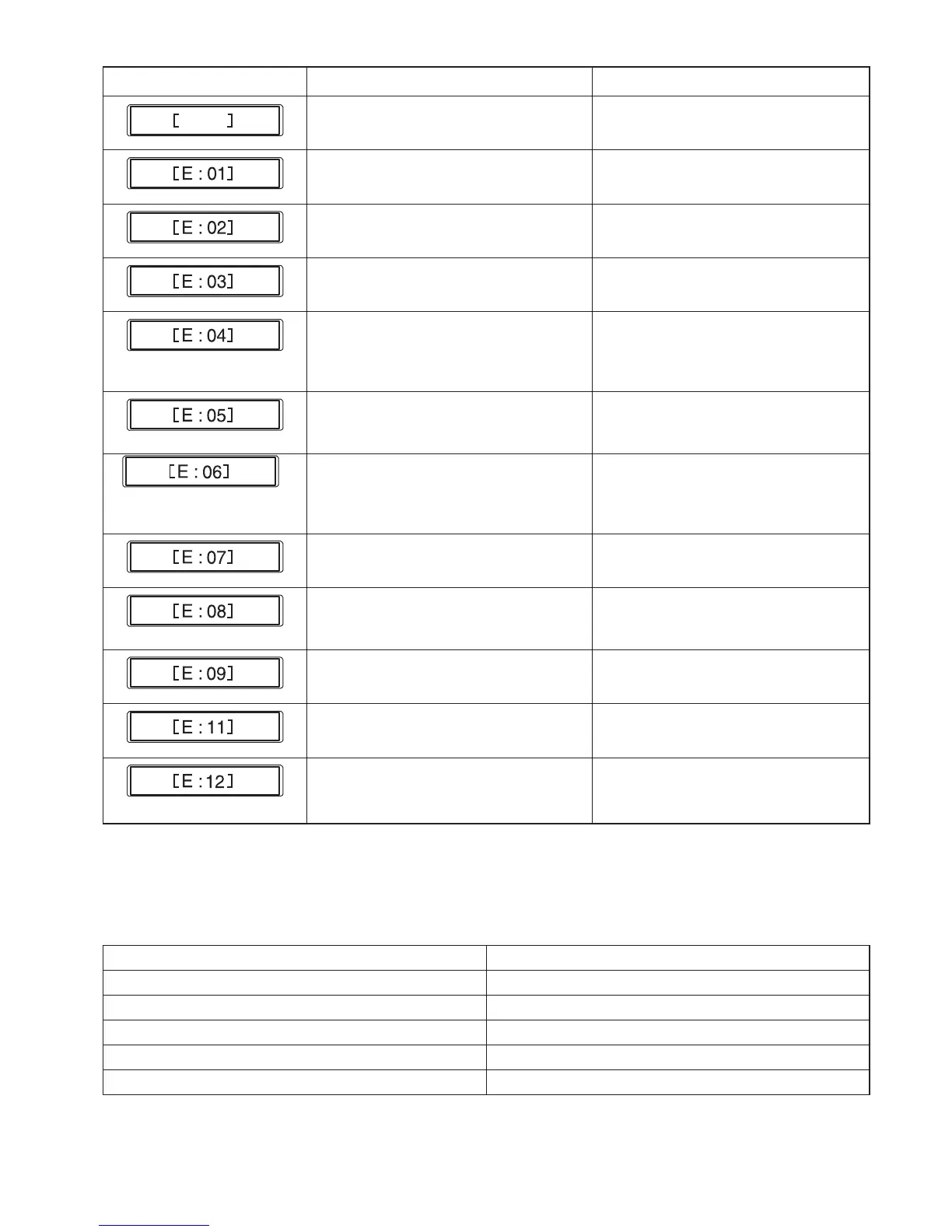
Communication error with the RCS unit. Turn the power switch off and turn it on
again.
Initializing error. Turn the power switch off and turn it on
again.
Needle bar switching error. Turn the power switch off and turn it on
again.
Needle bar stop position error Press the ENTER button to reset the
machine.
Driving motor stops due to an overload. After 15 seconds, the LCD screen will
show the Ready to Sew mode display.
Remove jamming threads or other
cause of overloading.
Needle thread broke or ran out. Press the MODE button to return to the
Ready to Sew mode and re-thread the
needle.
Needle bar setting error. Press the MODE button to return to
the Ready to Sew mode, then turn the
power switch on and set the needle bar
number.
Auto thread cutting error. Turn the power switch off and turn it on
again.
Opening tension disks while stitching. Pull the tension release lever to close
the tension disks. The LCD screen will
show the Ready to Sew mode display.
Upper shaft stop position error. Turn the power switch off and turn it on
again.
Initializing error of the thread catcher
motor.
Press the ENTER button to initialize the
motor.
The embroidery area exceeds the hoop. Press the ENTER button.
Check the hoop type and the
embroidery area.
* If the error message appears repeatedly, contact the service center or the store from whom the machine was
purchased.
Audible signal The buzzer sounds when:
pip Normal operation
pip-pip-pip-pip Invalid operation or malfunction
pip-pip Thread color change
pip-peep pip-peep Embroidery completed
peep Malfunction
Audible Signals
Error Message















 To Next Page