83
OPTIONAL ITEMS
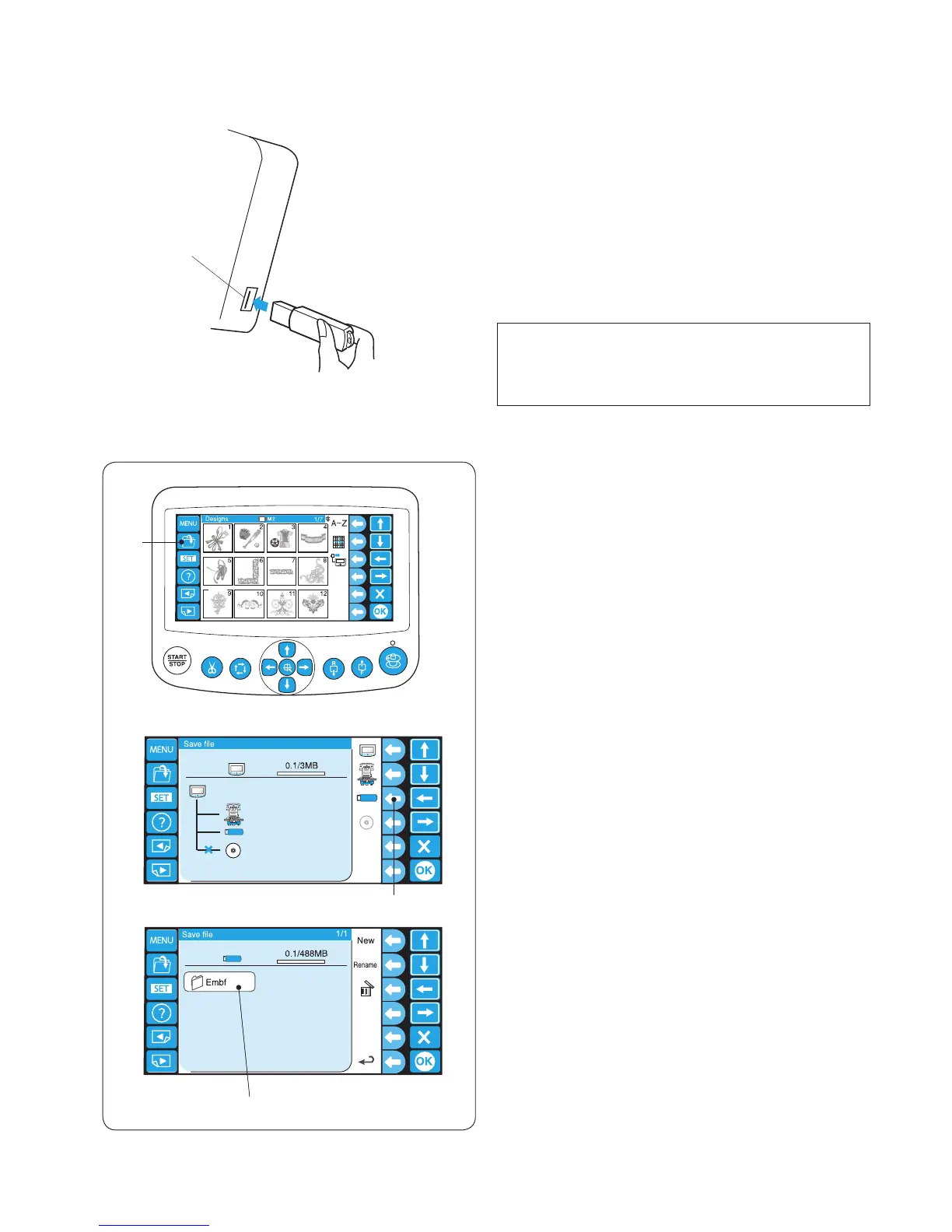
USB Flash Drive
The RCS unit is compatible with the USB ash drive,
which can be used to save and transfer the les between
the machine and your PC.
USB ash drives with 2GB capacity are recommended.
Insert the USB ash drive into the USB port on the RCS
unit.
To remove the USB ash drive, pull it straight away from
the RCS unit.
q USB port
* When the USB ash drive is inserted, an “Embf”
folder will be automatically created.
NOTE:
When turning the power on with the USB ash drive
inserted, it will take a few moments to start up the
RCS unit.
q
q
z
x
c
w
e
Opening the embroidery pattern from the USB ash
drive
z Press the open le key.
q Open le key
x Press the function key next to the USB ash drive
icon.
w Function key (USB ash drive)
c The folder list window will open. Press the Embf folder
icon to open.
e Folder icon
The le list window will open.
Press the desired le icon to open.
Refer to pages 78 and 80 for how to save and open
the le.















 To Next Page