48
q
Editing
In the editing mode, you can modify and combine the
embroidery patterns and monograms.
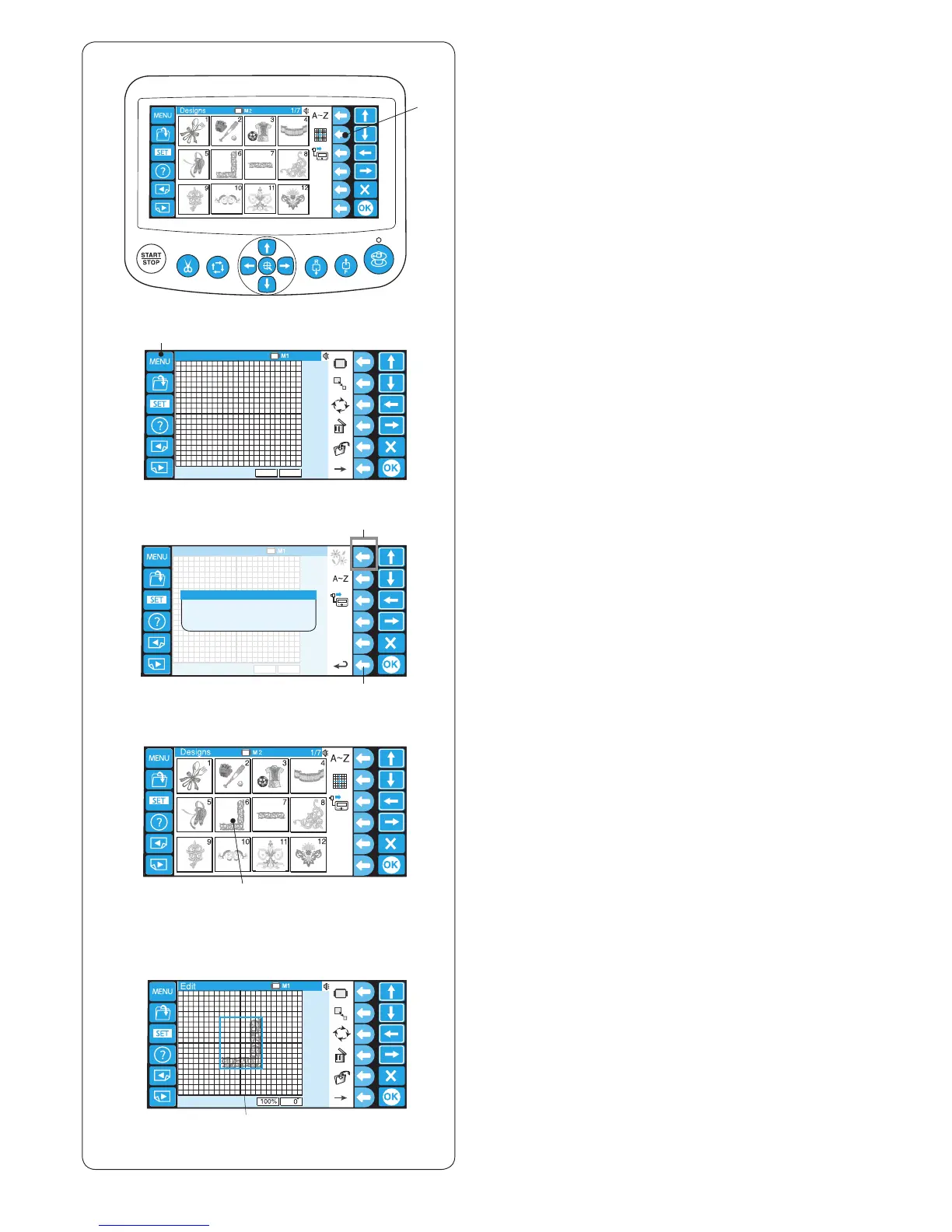
z Press the function key next to the editing icon.
q Function key (editing)
x Press the MENU key.
w MENU key
z
x w
c c Press the function key next to the built-in icon to
import the built-in patterns.
e Function key (built-in)
* Press the function key next to the return icon to
return to the previous display.
r Function key (return)
v Press the pattern selection key to select the pattern.
t Pattern selection key
b The editing window will open and the imported pattern
will appear in the editing screen.
y Editing screen
r
e
v















 To Next Page