39
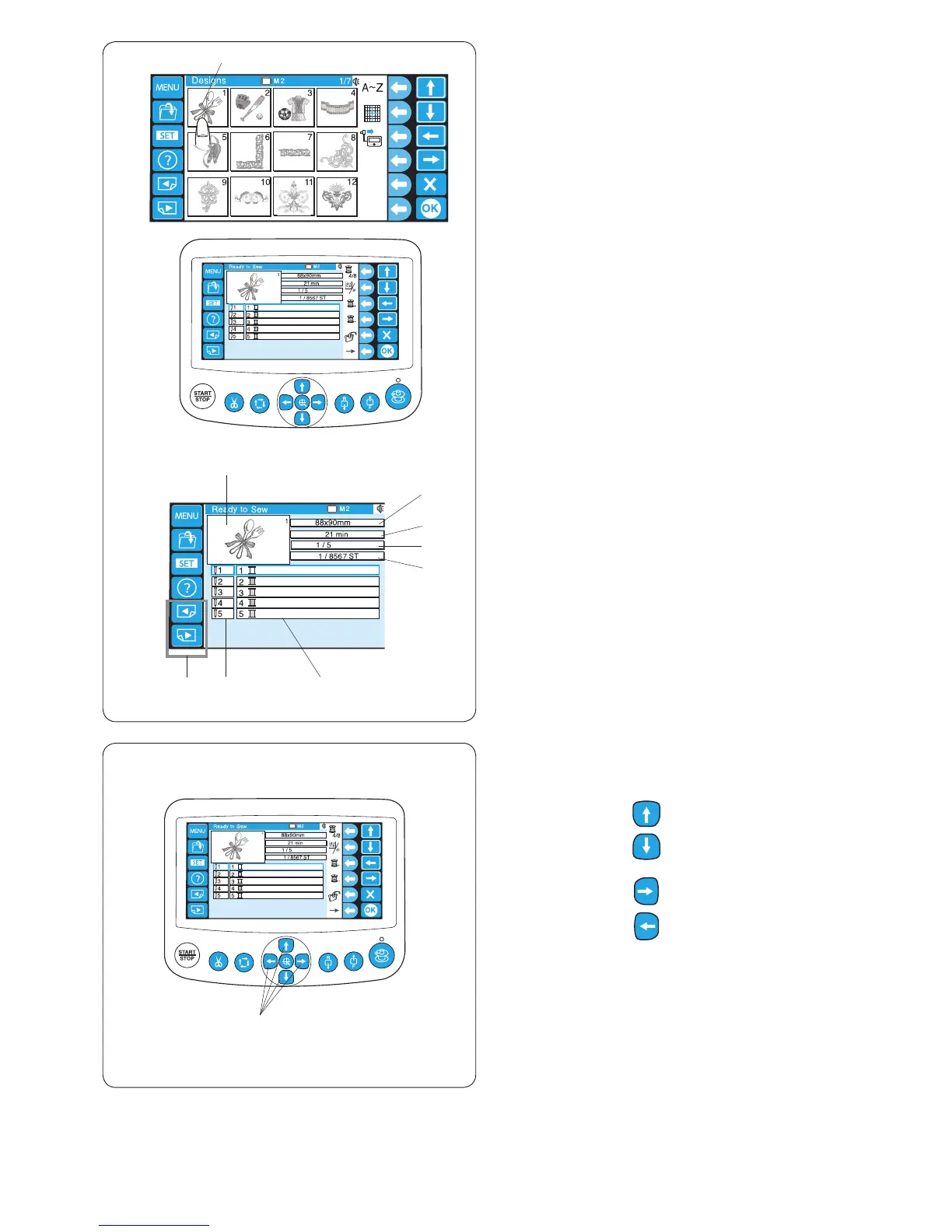
Adjust the hoop position by pressing the jog buttons if
necessary.
q Jog buttons
Press the jog button to move the hoop toward you.
Press the jog button to move the hoop away from
you.
Press the jog button to move the hoop the left.
Press the jog button to move the hoop the right.
* The hoop will move 1mm each time you press the jog
button.
Press and hold the button and the hoop will continue
moving within the embroidery area until you release the
button.
* After you have started stitching, the jog buttons cannot
be used.
x
z
x The Ready to Sew window displays the following
information.
e Stitch image
r Design size
t Sewing time in minutes
y Total thread colors required
u Total stitch count
i Needle bar number
o Assigned thread color to the needle bar
* Madeira (Rayon 40) thread color has been
assigned as factory settings.
* Press the page keys to show the colors other than
listed.
!0 Page keys















 To Next Page