169
ELSPEC
G
G
4
4
K
K
F
F
i
i
x
x
e
e
d
d
P
P
o
o
w
w
e
e
r
r
Q
Q
u
u
a
a
l
l
i
i
t
t
y
y
A
A
n
n
a
a
l
l
y
y
z
z
e
e
r
r
U
U
S
S
E
E
R
R
&
&
I
I
N
N
S
S
T
T
A
A
L
L
L
L
A
A
T
T
I
I
O
O
N
N
G
G
U
U
I
I
D
D
E
E
The Password field defines user level/privileges. The user levels are Viewer
/ Administrator (See Security S ettings). The d efault p assword in cluding
privileges for each level are:
Viewer is 123 (Read only, can choose in terface l anguage o nly, n o
operations related changes are allowed)
Administrator is 12345 (Administration, setup & full control)
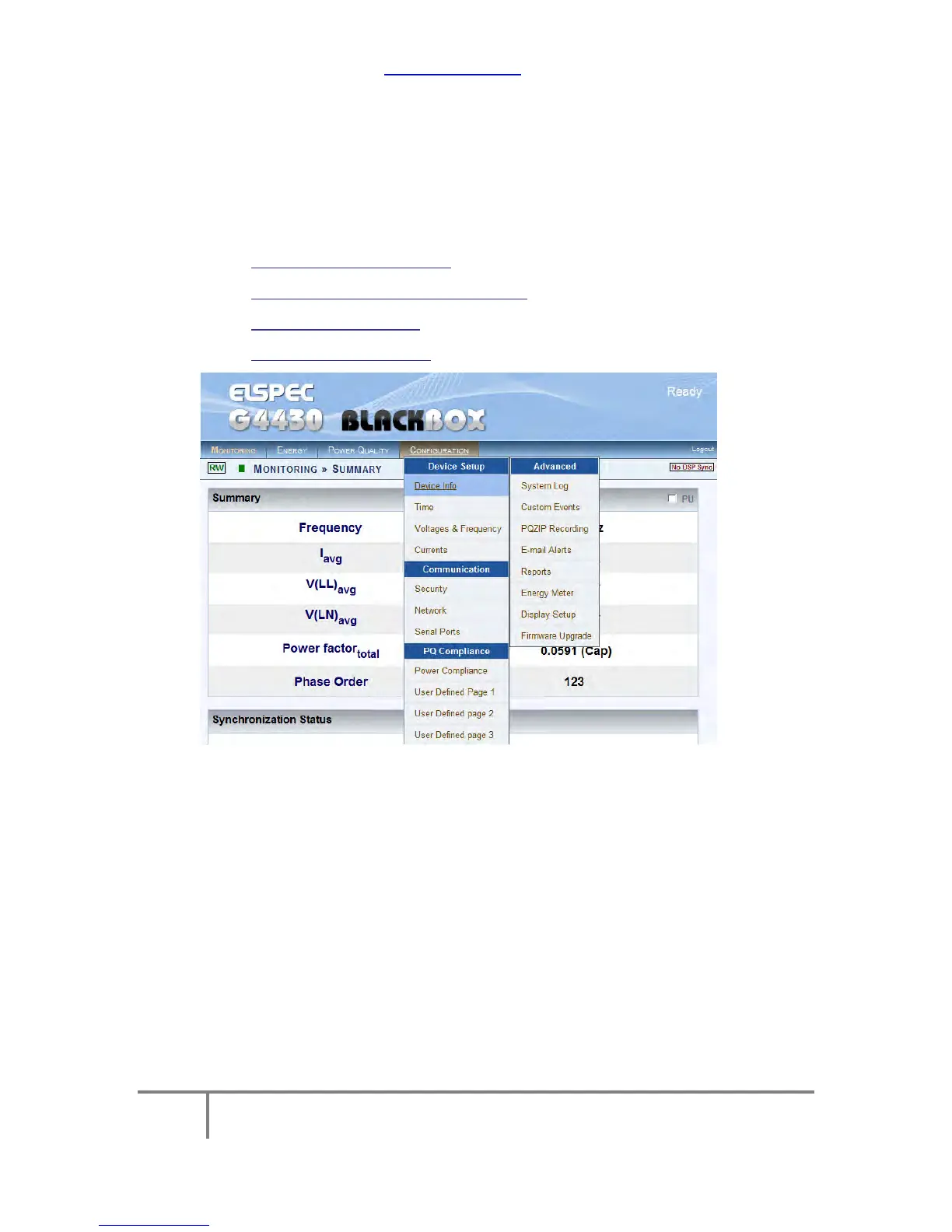
By selecting the Configuration Tab & within the Device Setup section you'll
be able to:
Complete the Device Info
Configure the Voltage & Frequency
Set the Time Settings
Configure the Currents
www.GlobalTestSupply.com
Find Quality Products Online at: sales@GlobalTestSupply.com



 To Next Page