84
ELSPEC
G
G
4
4
K
K
F
F
i
i
x
x
e
e
d
d
P
P
o
o
w
w
e
e
r
r
Q
Q
u
u
a
a
l
l
i
i
t
t
y
y
A
A
n
n
a
a
l
l
y
y
z
z
e
e
r
r
U
U
S
S
E
E
R
R
&
&
I
I
N
N
S
S
T
T
A
A
L
L
L
L
A
A
T
T
I
I
O
O
N
N
G
G
U
U
I
I
D
D
E
E
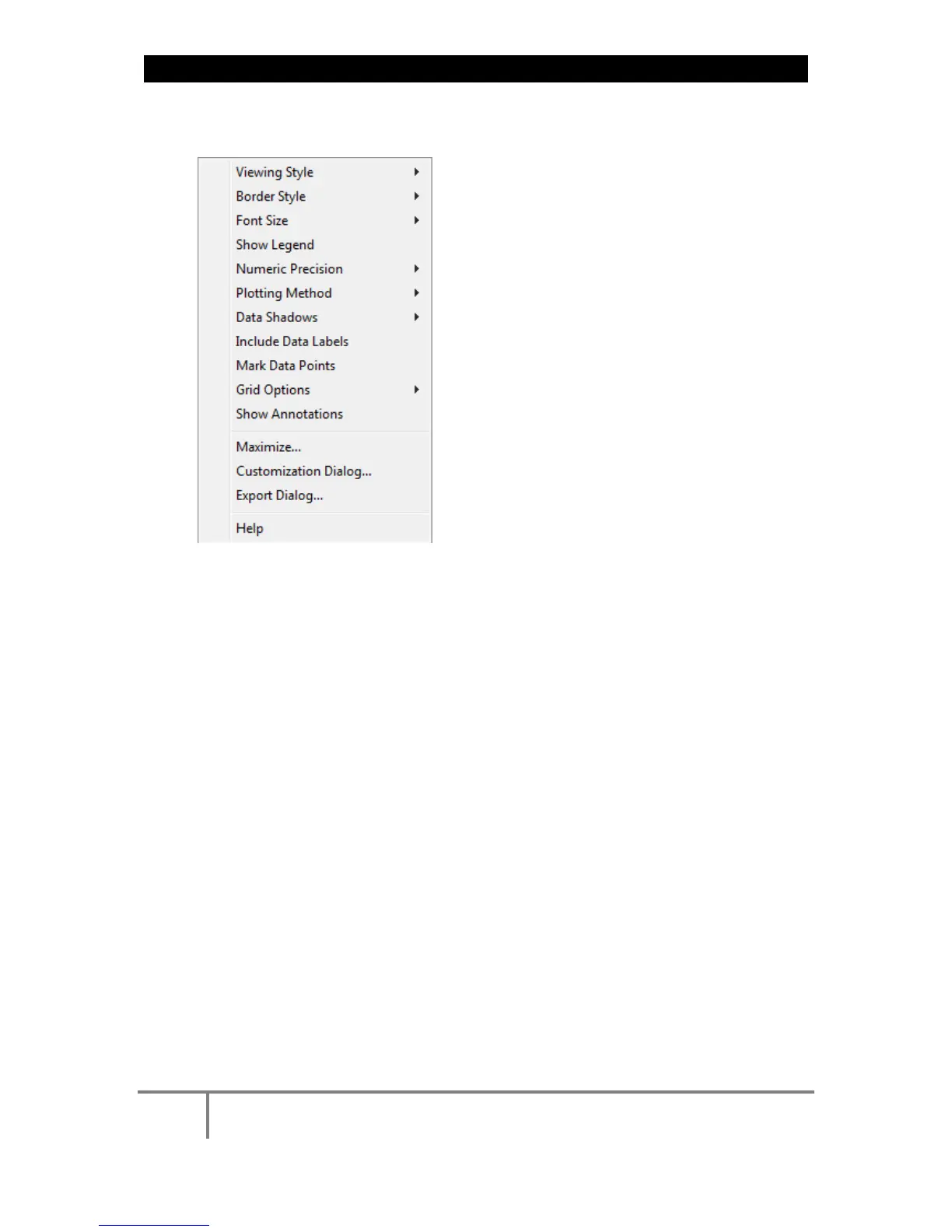
CHART OPTIONS
Right-click o n the ch art to ac cess various options & capabilities f or t he
chart:
You may use the following chart options & capabilities:
Viewing Style: Different s tyling o ptions C olor / M onochrome ( B&W)
with/without Symbols / Bitmap etc. By selecting the option you can
view on screen the different styles available to you
Border Style: No Border, Thin Line, Shadow / Inset
Font Size: Large / Medium / Small
Show Legend: Display / Not display Legend
Plotting Method: From Line / Point / Point & Line
Data Shadows: Off / Shadow / 3D
Include Data Labels: Include / Exclude Numeric Data Labels
Mark Data Points: Mark/Unmark Data Points
Grid Options: Extend Radius Tick Marks, Both Degrees & Radius,
Degrees, Radius, Hid Grid Lines, Thin Grid Lines, Thick Grid Lines,
Dotted Grid Lines, Dashed Grid Lines & One Pixel Grid Lines
Maximize: Min / Max the Phasor Graph Only
www.GlobalTestSupply.com
Find Quality Products Online at: sales@GlobalTestSupply.com



 To Next Page