Machine Maintenance Procedures 3-53
Microphone Set Removal 0
Prerequisite:
LCD Panel Removal
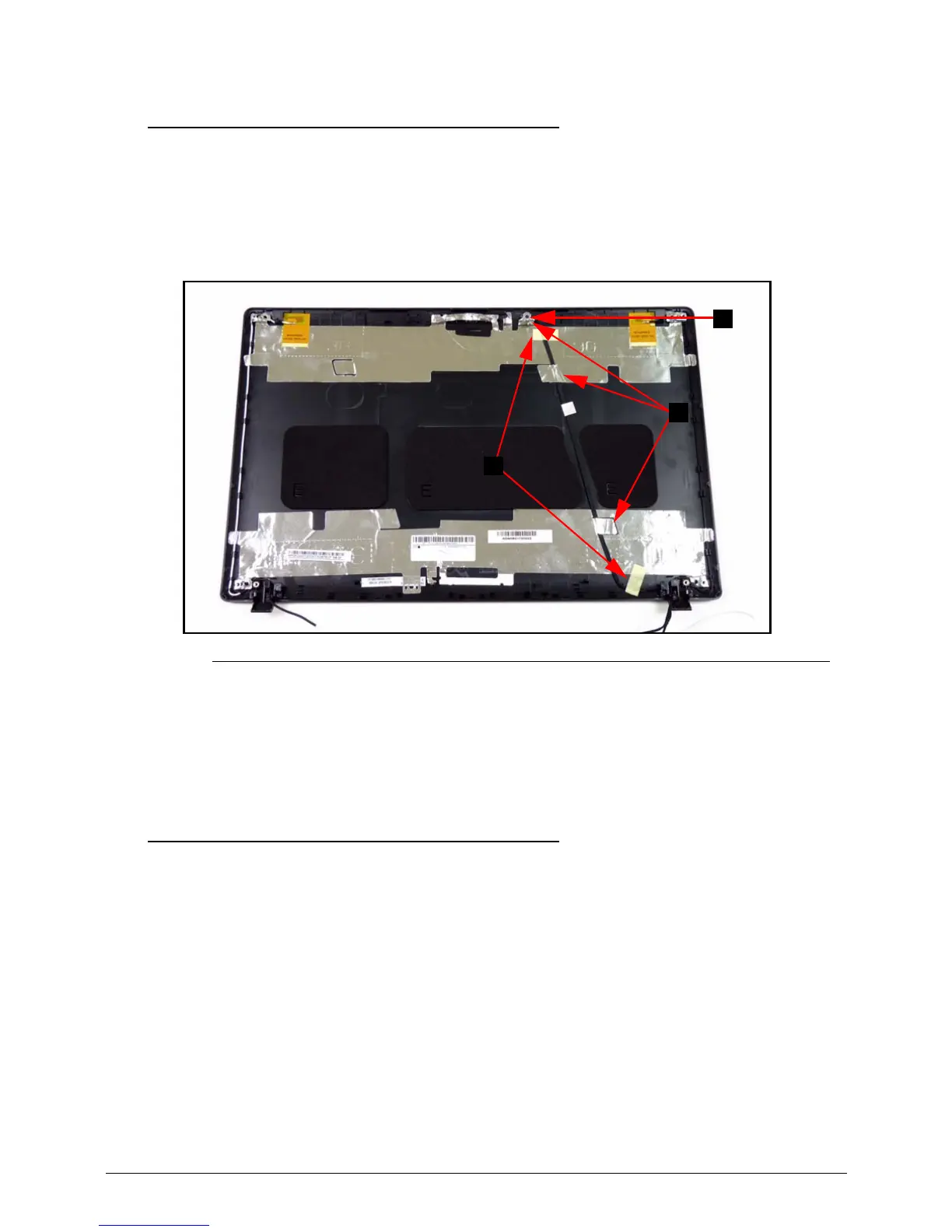
1. Locate microphone set (A) in LCD cover. (Figure 3-51)
Figure 3-51. Microphone Set
2. Remove adhesive tape (B) securing the microphone cable. (Figure 3-51)
3. Remove tabs (C) away from microphone set. (Figure 3-51)
4. Remove microphone set from LCD cover.
Microphone Set Installation 0
1. Put microphone set on LCD cover. (Figure 3-51)
2. Fold tabs (C) over to secure microphone set. (Figure 3-51)
3. Put adhesive tape onto microphone cable to secure it to LCD cover. (Figure 3-51)
4. Install LCD panel.














 To Next Page