System Utilities 2-23
Miscellaneous Tools 0
Using Boot Sequence Selector 0
The Boot Sequence Selector allows the boot order to be changed without accessing the
BIOS. To use Boot Sequence Selector, perform the following steps:
1. Enter into DOS.
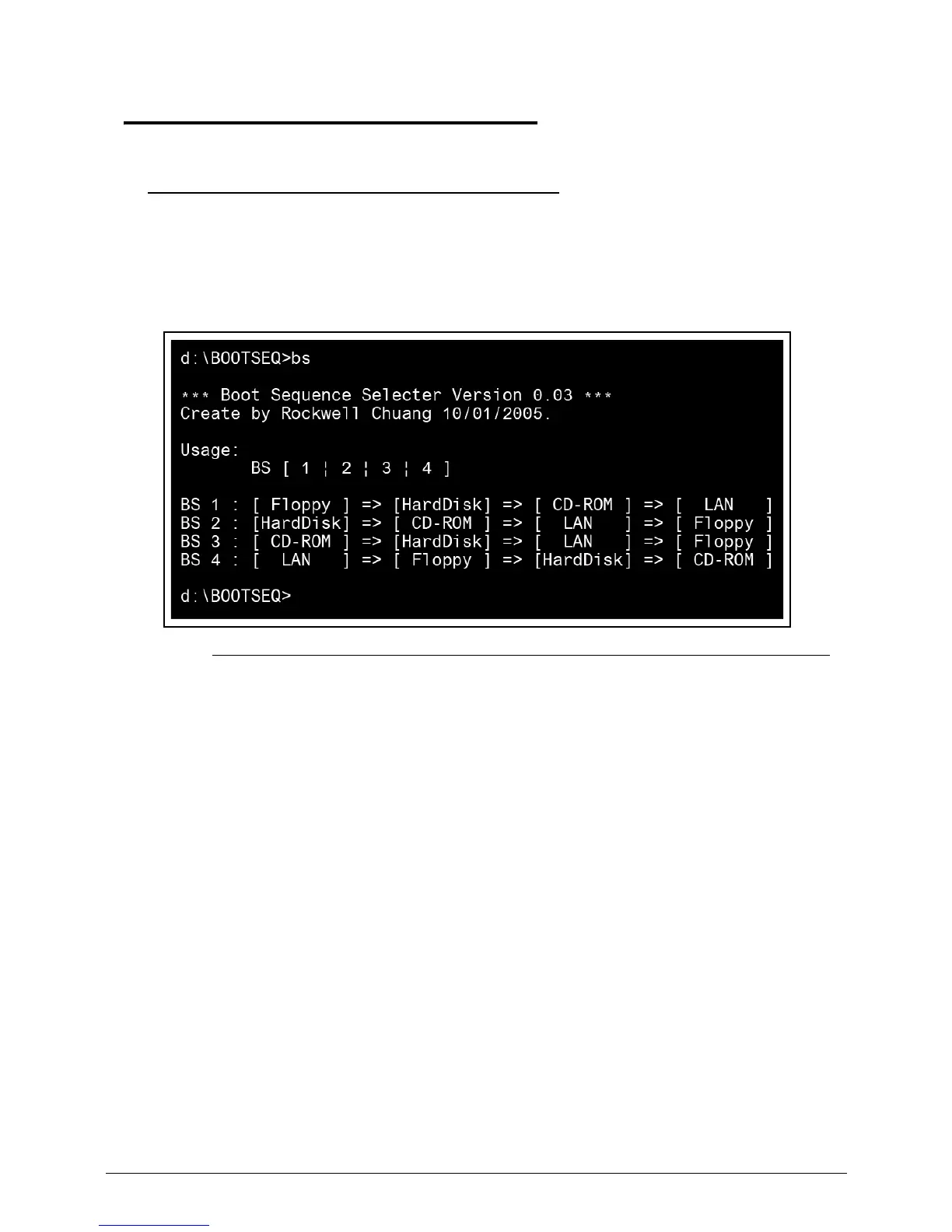
2. Execute BS.exe to show the usage screen. (Figure 2-24)
Figure 2-24. Boot Sequence Selector
3. Select the desired boot sequence by entering the corresponding sequence. For example,
enter <BS 2> to change the boot sequence to HDD | CD ROM | LAN | Floppy.














 To Next Page