Machine Maintenance Procedures 3-19
HDD (Hard Disk Drive) Module Removal 0
Prerequisite:
Base Door Removal
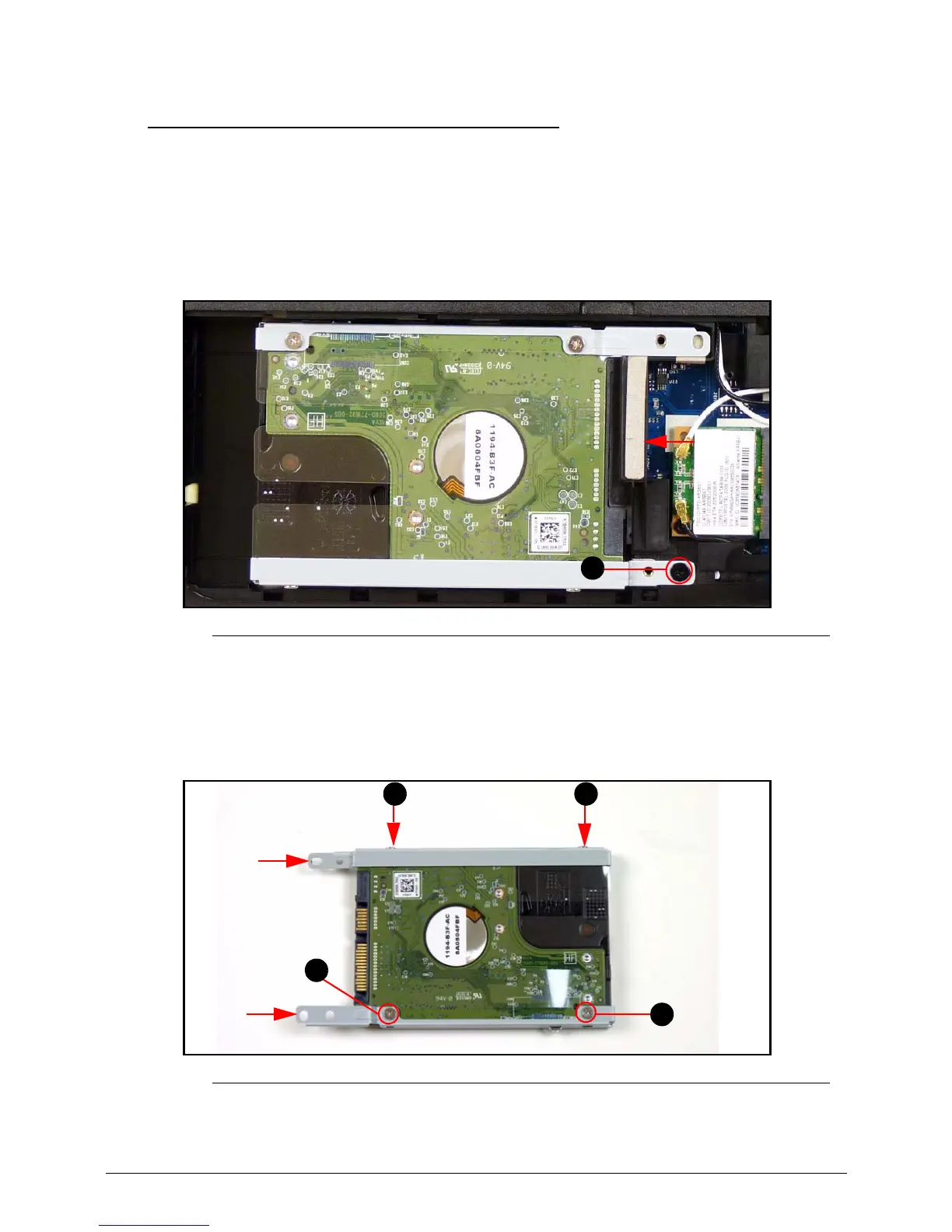
1. Find HDD module (A) in component bay. (Figure 3-14)
2. Remove one (1) screw (A). (Figure 3-14)
Figure 3-14. HDD Module
3. Slide HDD module away from the mainboard connector (B) to disconnect it. (Figure 3-14)
4. Lift HDD module from component bay.
5. Remove four (4) screws (C) from HDD bracket (D). (Figure 3-15)
Figure 3-15. HDD Module
6. Remove HDD bracket (D) from HDD module.














 To Next Page