2-18 System Utilities
Remove HDD/BIOS Password Utilities 0
If Power-on Password authentication is enabled, the BIOS password can only be
cleared by initiating the Crisis Disk Recovery procedure. See Crisis Disk
Recovery.
This section provides details about removing HDD/BIOS passwords.
Remove HDD Password as follows:
If the HDD password is incorrectly entered three times, an error is generated.
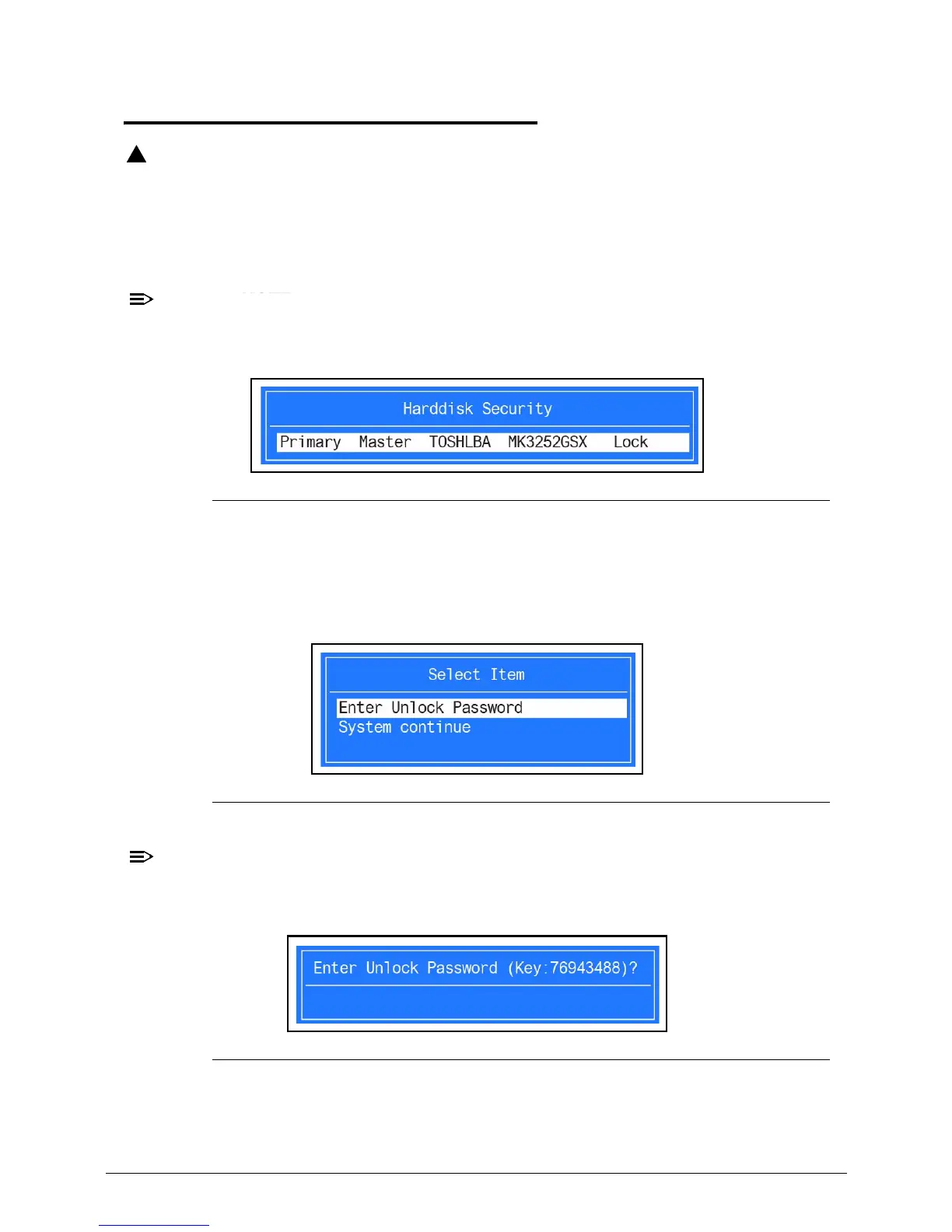
(Figure 2-16)
Figure 2-16. Password Error Status
To reset the HDD password, perform the following:
1. From Password Error Status dialog shown in Figure 2-16, press Enter to continue.
2. The Enter Unlock Password dialog (Figure 2-18) is shown.
Figure 2-17. Unlock Password Key
An key code is generated for use with unlocking utility (Ex: 76943488). Make note of
this code.
Figure 2-18. Unlock Password Key
3. On separate, compatible device, boot to DOS.














 To Next Page