Machine Maintenance Procedures 3-21
Upper Cover Removal 0
Prerequisite:
HDD (Hard Disk Drive) Module Removal
1.
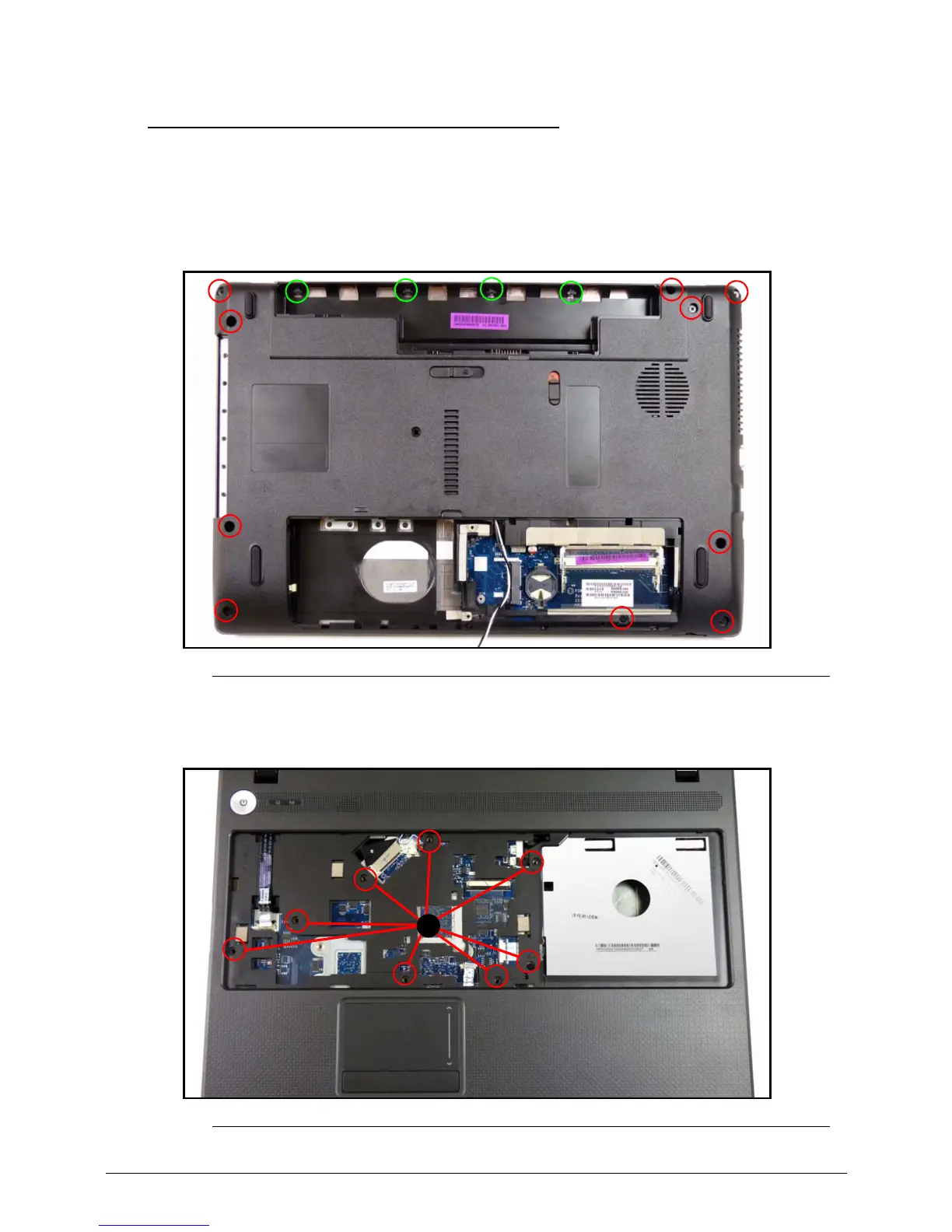
Remove fourteen (14) securing screws from the lower cover. (Figure 3-16)
Figure 3-16. Lower Cover Screw Location
2.
Remove eight (8) securing screws (A) from the upper cover. (Figure 3-17)
Figure 3-17. Upper Cover Screw Location














 To Next Page