Troubleshooting 4-5
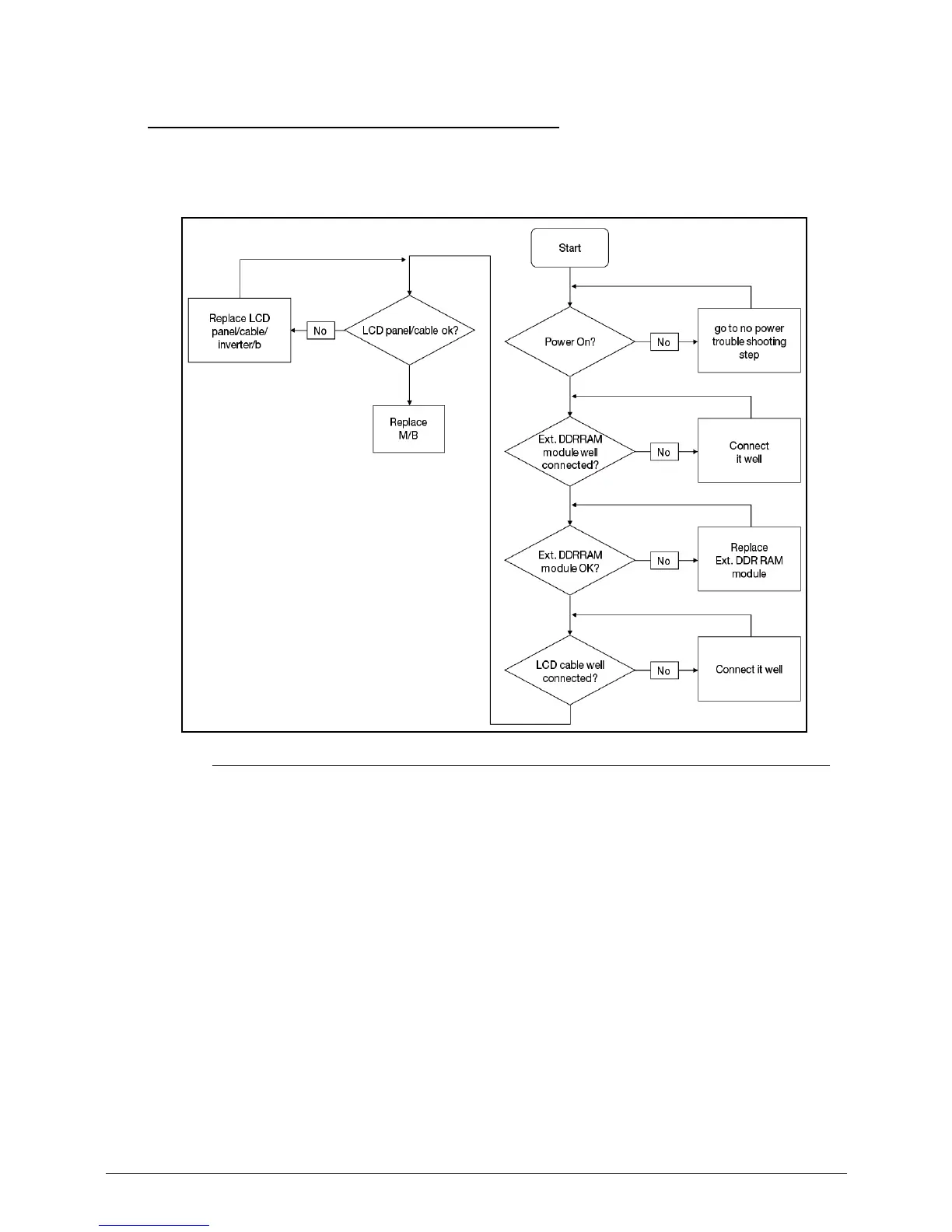
No Display Issues 0
If the Display does not work, perform the following:
Figure 4-2. No Display Issue
No POST or Video 0
If the POST or video does not appear, perform the following:
1. Make sure that internal display is selected. Switching between internal and external by
pressing Fn+F5. Reference product pages for specific model procedures.
2. Make sure the computer has power by checking for one of the following:
Fans start up
Status LEDs illuminate
If no power, refer to Power On Issues.
3. Drain stored power by removing the power cable and battery. Hold the power button for 10
seconds.
4. Connect the power and reboot the computer.
5. Connect an external monitor to the computer and switch between the internal display and
the external display is by pressing Fn+F5.














 To Next Page