3-18 Machine Maintenance Procedures
RTC Battery Removal 0
Prerequisite:
Base Door Removal
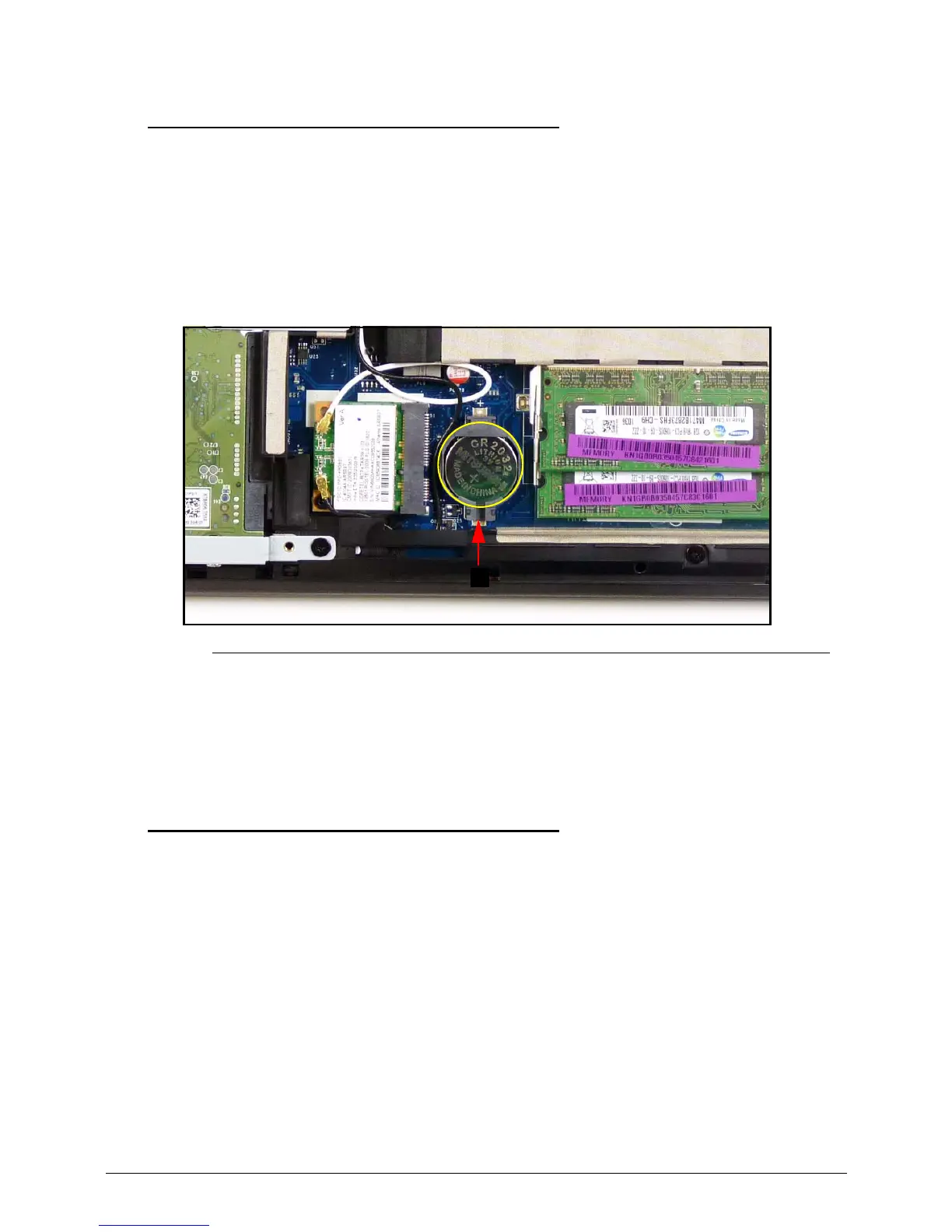
1. Find RTC (Real Time Clock) battery (C) on mainboard. (Figure 3-10)
2. Using plastic tweezers, push the RTC battery in using the gap in the mainboard connector
(A) to release the battery. (Figure 3-13)
Figure 3-13. RTC Battery
Follow local regulations for battery (Figure 3-13) disposal.
3. Remove RTC battery from mainboard connector. (Figure 3-13)
RTC Battery Installation 0
1. Put RTC battery (A) into the mainboard connector and press down to secure it.
(Figure 3-13)
2. Install base door.














 To Next Page