3-34 Machine Maintenance Procedures
11. Disconnect Bluetooth cable from mainboard connector (G). (Figure 3-28)
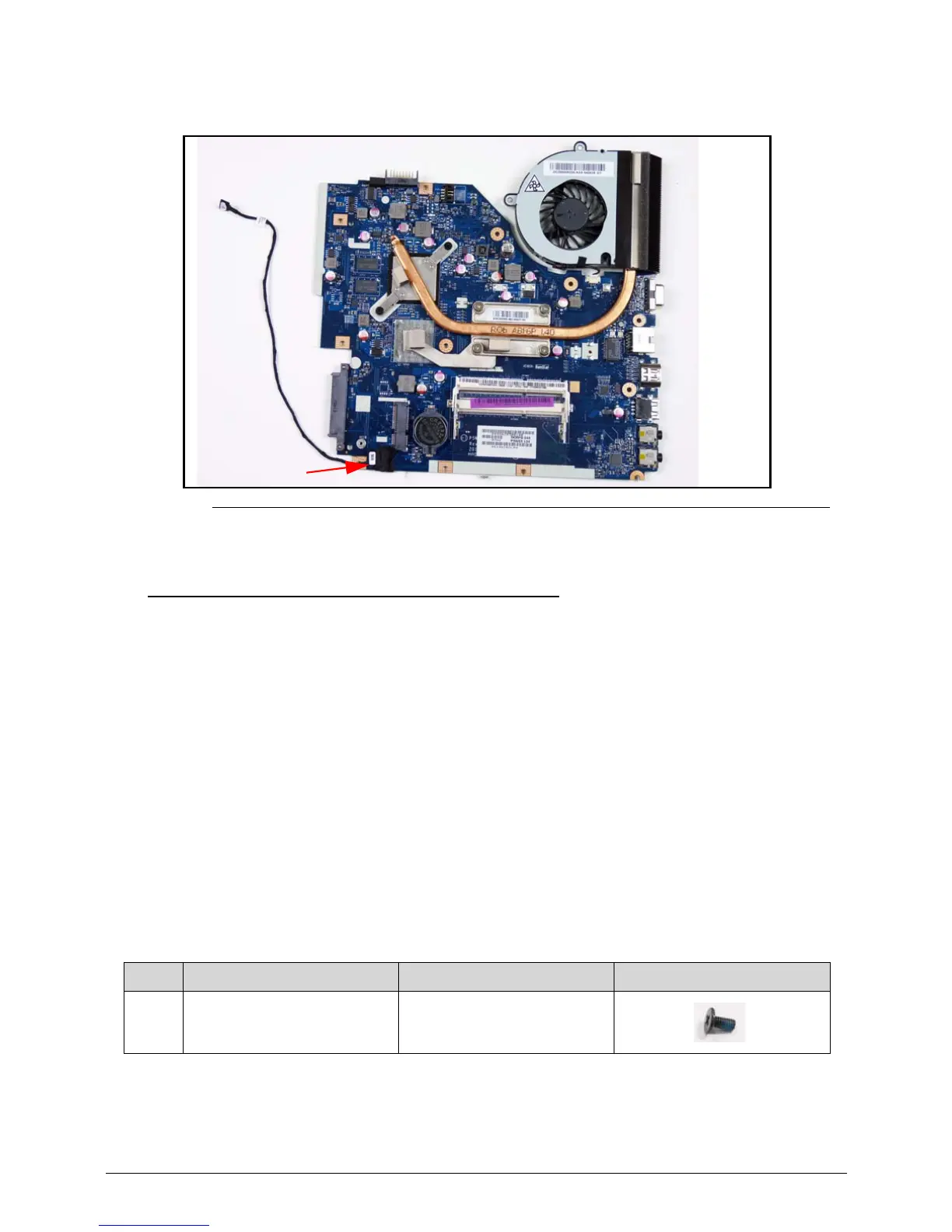
Figure 3-31. Mainboard
Mainboard Installation 0
1. Connect Bluetooth cable to mainboard connector (G). (Figure 3-31)
2. Put computer with the LCD module flat on the surface. (Figure 3-29)
3. Put a nonabrasive, protective cover over the LCD panel. (Figure 3-29)
4. Connect DC-IN cable to mainboard connector (F). (Figure 3-30)
5. Put mainboard into lower cover. (Figure 3-28)
6. Install and secure four (4) screws (E) to mainboard. (Figure 3-28)
7. Connect LVDS cable (C) to mainboard connector. (Figure 3-28)
8. Connect microphone cable (D) to mainboard connector. (Figure 3-28)
9. Put Bluetooth cable (B) into cable guides. (Figure 3-28)
10. Install USB board.
11. Install ODD board.
12. Install Bluetooth board.
ID Size Quantity Screw Type
E M2.5*5.0 4














 To Next Page