EPSON WF-C5790/WF-C5790a/WF-C5710/ET-8700/WF-C5210/WF-C5290/WF-C5290a Revision A
Disassembly/assembly Disassembly/Reassembly Procedures 410
Confidential
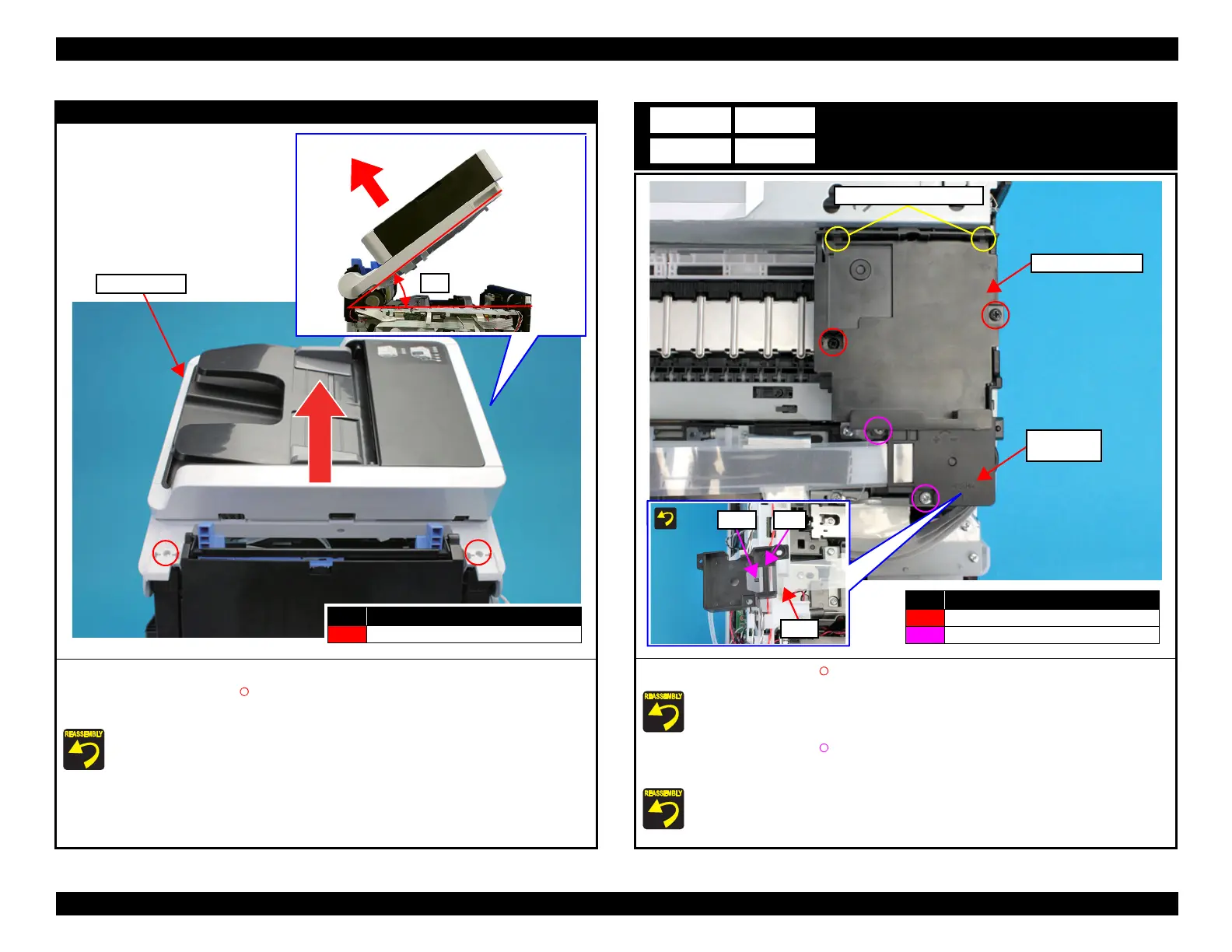
ADF/SCN Unit
3. Open the ADF/SCN Unit.
4. Remove the two screws (S4: ), then remove the ADF/SCN Unit in the direction of the
arrow.
Before screwing the ADF/SCN Unit, make sure the hinges are properly attached in place.
If the ADF/SCN Unit is opened when the hinges are NOT secured, the unit may be damaged.
No. Screw Type
S4
C.B.P-TITE-SCREW-3x10-F.ZN-3C
ADF/SCN Unit
Head Upper Cover
1. Remove the two screws (S7: ), and remove the Head Upper Cover.
Attach the two tabs on the Head Upper Cover to the positioning holes of the CR Unit.
2. Remove the two screws (S4: ), and remove the Ink Tube Joint Cover.
3. Remove the film from the hook on the Ink Tube Joint Cover.
Set the film under the rib of the Ink Tube Joint Cover.
Head Upper Cover
No. Screw Type
S7
C.B.P-TITE-SCREW-3x10-F.ZB-3C
S4
C.B.P-TITE-SCREW-3x10-F.ZN-3C
Ink Tube
Joint Cover
Tabs and positioning holes



 To Next Page
 Loading...










