EPSON WF-C5790/WF-C5790a/WF-C5710/ET-8700/WF-C5210/WF-C5290/WF-C5290a Revision A
Disassembly/assembly Disassembly/Reassembly Procedures 441
Confidential
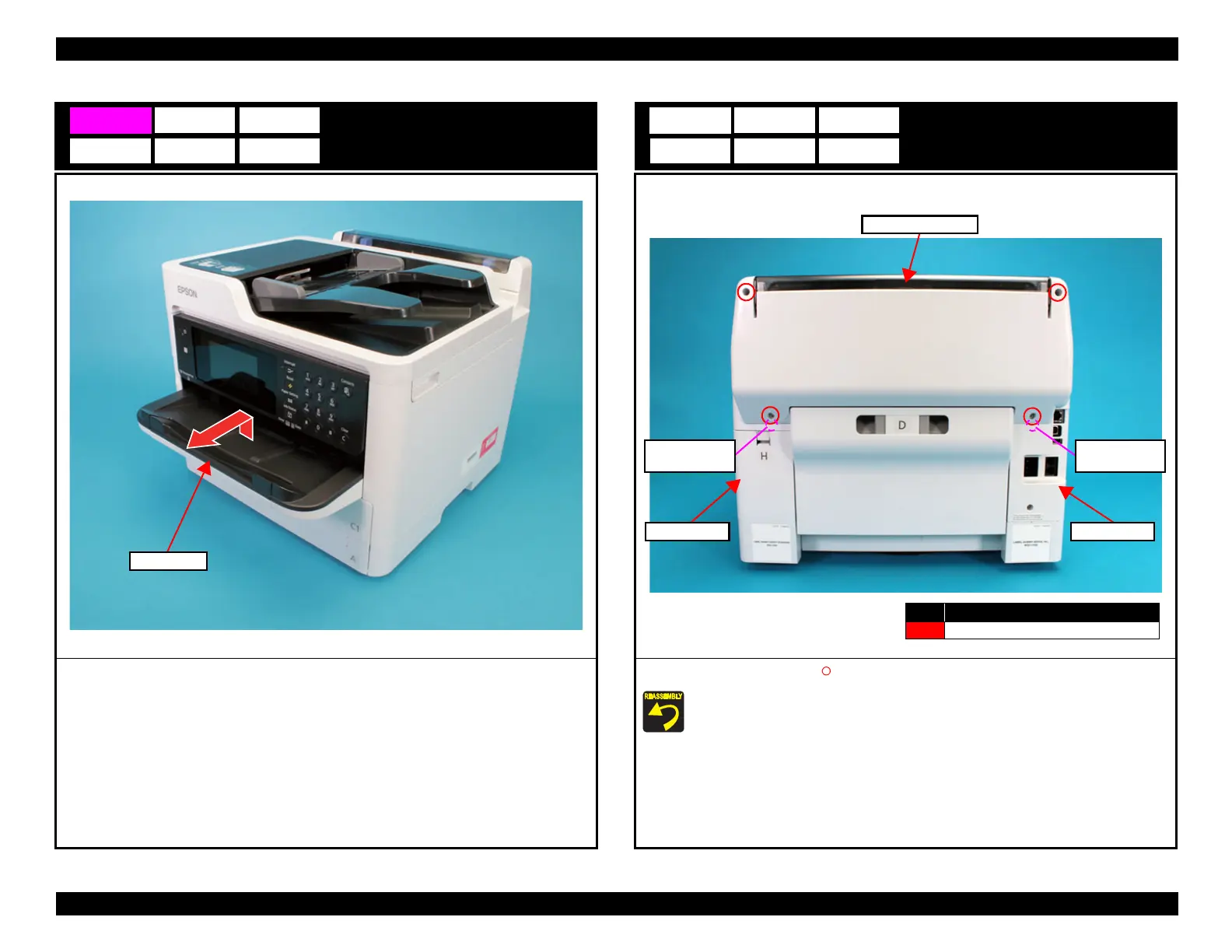
Stacker Assy
1. Remove the Stacker Assy in the direction of the arrow.
Rear Cover (Back)
1. Remove the four screws (S4: ), then remove the Rear Cover (Back).
Attach the two dowels of the Rear Cover (Back) to the positioning holes on the
Housing Left and Housing Right.
Rear Cover (Back)
No. Screw Type
S4
C.B.P-TITE-SCREW-3x10-F.ZN-3C
Dowel and
positioning hole
Housing Right Housing Left
Dowel and
positioning hole















 To Next Page