Ericsson | Antenna Line Congurator
50
9�5�1 Change the RET Settings
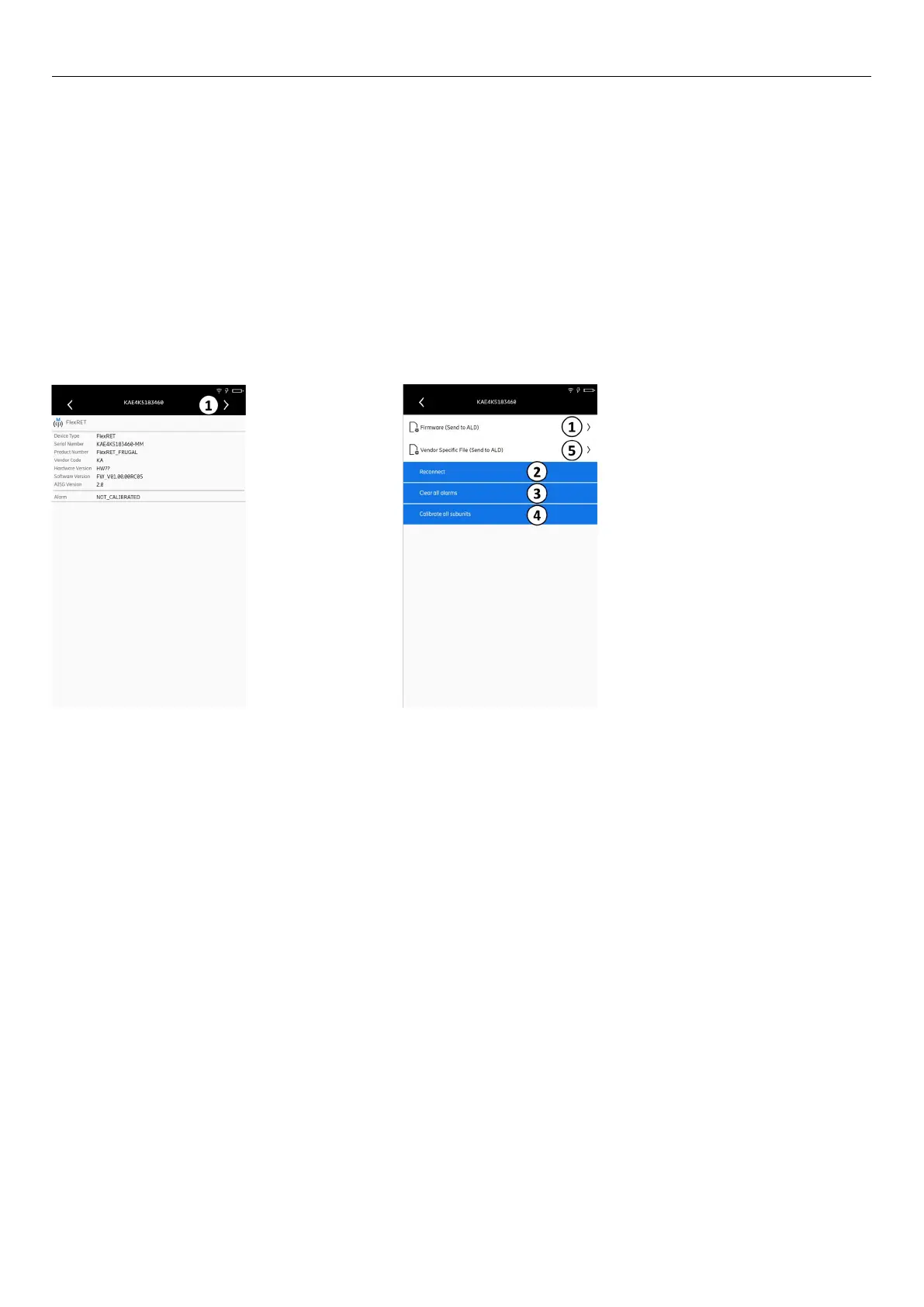
1� Tap ② in Fig� 63 to show the RET properties�
The following page appears:
2� Tap ① in Fig� 65�
The following page appears:
Fig� 65: Devices: RET properties Fig� 66: Devices: Changing RET properties
① Opens the submenu to change the RET ① Opens the page to update the RET firmware
② Calibrates all subunits
③ Clears all alarms
④ Reconnects to the RET
⑤ Opens the page with the vendor specific files



 To Next Page