DTP CrossPoint 84 Series Matrix Switchers • Matrix Software 112
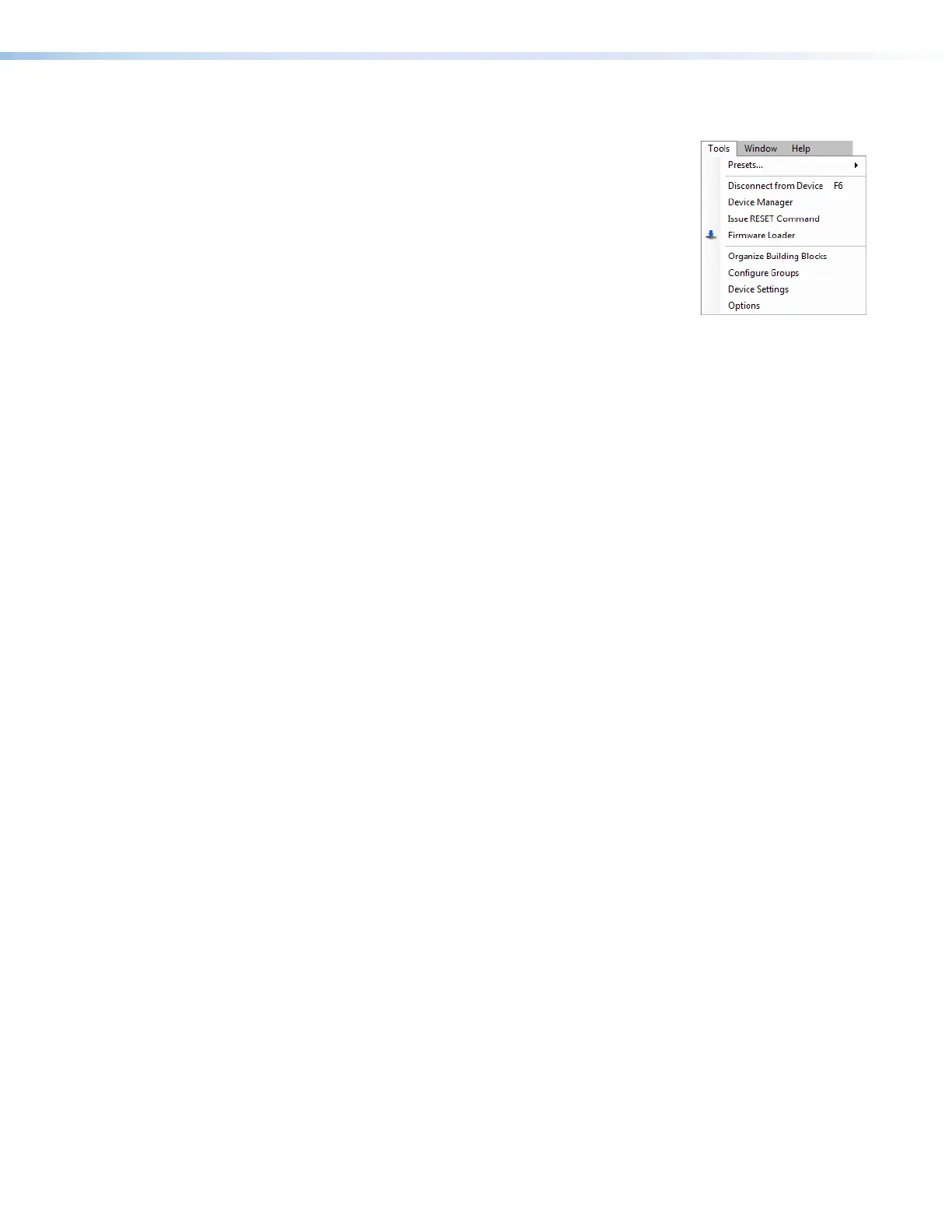
DSP Configurator Tools menu
Presets — Allows you to mark all items, save a preset,
and clear marked items:
• Mark All Ties — Mark (select) all created ties to save as
a preset.
• Mark All Items — Mark (select) all parts of the current
configuration (excluding presets), including processors,
created ties, and mic mixes to save as a preset.
• Save Preset — Save the currently marked processors,
ties, and mic mixes as a preset.
• Clear Marked Items — Unmark (deselect) all parts of the current configuration
(excluding presets), including processors, created ties, and mic mixes.
Connect to Device or Disconnect from Device (depending on Emulate or LIve mode) —
Performs the same functions as the Mode Emulate and Mode Live buttons.
Device Manager — Opens the Device Manager dialog box, in which you can switch
between devices that use the DSP Configurator and also add, clone (duplicate), or delete
devices that use the DSP Configurator.
Issue RESET Command — Initializes and clears any or all of the following: ties, mic mixes,
presets, audio configuration, processor blocks, and gain blocks. This reset is identical to the
EZXXX} SIS command (see page 64).
Firmware Loader — Calls the Firmware Loader program, which allows you to replace the
switcher firmware without taking the switcher out of service. This is similar to the Product
Configuration Software Update Firmware selection (see Updating the Firmware on
page76) .
Organize Building Blocks — Opens the Organize Building Blocks dialog box, in which
you can save building blocks, move them within folders, or delete them (see Organizing
Listed Building Blocks on page122).
Configure Groups — Opens the Configure Groups dialog box (see Configuring a group
master on page101).
Device Setting — Opens a dialog box that provides a means to set the IP address and
passwords of the unit and to set the baud rate for the serial port.
Options — Opens a tabbed dialog box that allows you to tailor the appearance and
operation of the DSP Configurator program to your liking:
•
Appearance — Change the color style of the pr
ogram.
•
Complimentary
Colors — Set the primary and secondary colors in the filter blocks.
Complimentary colors allows custom selection of colors used with the various graphs
and dialog boxes. Graph colors change the row colors containing the information and
descriptions of the graphs seen in the processor blocks.
•
Graph
Colors — Change the row colors containing the information and descriptions of
the graphs seen in the processor blocks.
•
Preferences — Contains options for selection of the devices to connect to, or to
Always
ask on startup. That selection can be changed using Default Device.
If
Show Meters is set to True, Dynamic Block Meters can be used to tailor the
appearance of the dynamics meters to use the full meter to show input and gain
reduction, or to show the level based on the output and gain reduction.
• Processor Defaults — Sets the default parameters for all processors. Also allows
you to restore the factory defaults for these processors.



 To Next Page