DTP CrossPoint 84 Series Matrix Switchers • Matrix Software 111
DSP Configurator Edit menu
Cut — Copies all of the parameters of a selected processor block or
set of selected blocks to the clipboard and removes the blocks from the
processor stream.
NOTES:
• Gain blocks are always present and cannot be Cut.
• Processor blocks are removed from the processor stream after a Cut and a
subsequent Paste operation.
• Processor blocks and their parameters can be pasted only into another block of
the same type. For example, the input 1 filter block and all of its parameters can be
copied to the input 2 filter block but not to the input 1 delay block.
Copy — Copies all of the parameters of a selected processor block, gain block, or set of
selected blocks to the clipboard.
Paste — Inserts processor blocks and their parameters from the clipboard into the DSP
Configurator program at the location selected.
DSP Configurator View menu
Audio & Video I/O — Selects the audio and video I/O page for the
DSP Configurator program (the default view).
Audio I/O — Selects the audio-only I/O page for the
DSP Configurator program.
Video I/O — Selects the video-only I/O page for the
DSP Configurator program.
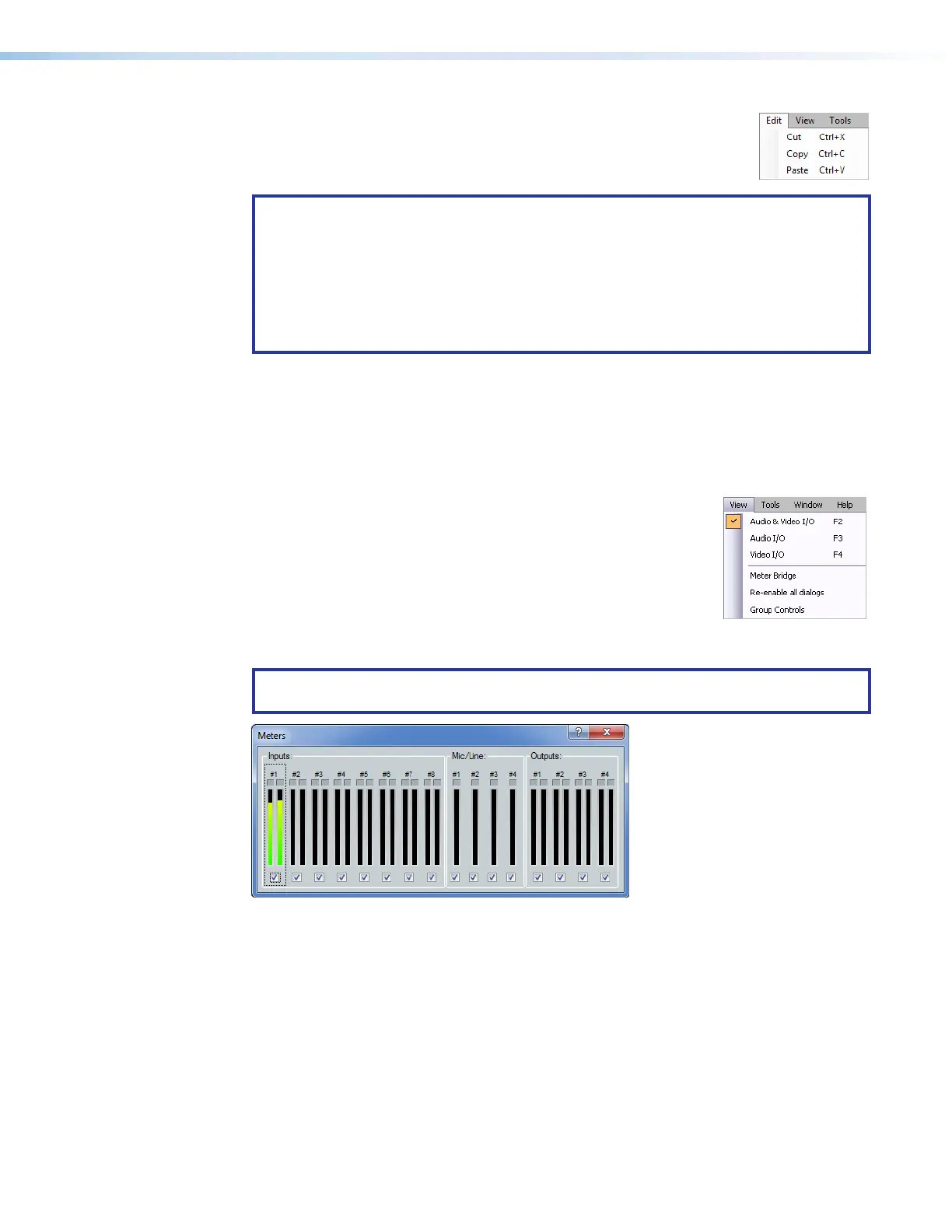
Meter Bridge — Opens a Meters dialog box (see figure61) with
real-time meters that monitor the audio levels at each input and output.
NOTE: Meter Bridge is available in Live mode only and only while connected via the
LAN port of the switcher.
Figure 61. Meter Dialog Box
Re-enable all dialogs — Re-enables all dialog boxes, the pop-up windows that allow
you to make changes to the parameters of a block.
Group Controls — Opens the the Group Controls dialog box (see Viewing and using a
group master on page103).
57



 To Next Page