9 Eyecon 9420 & 9430 Instruction Manual
9430 Addendum
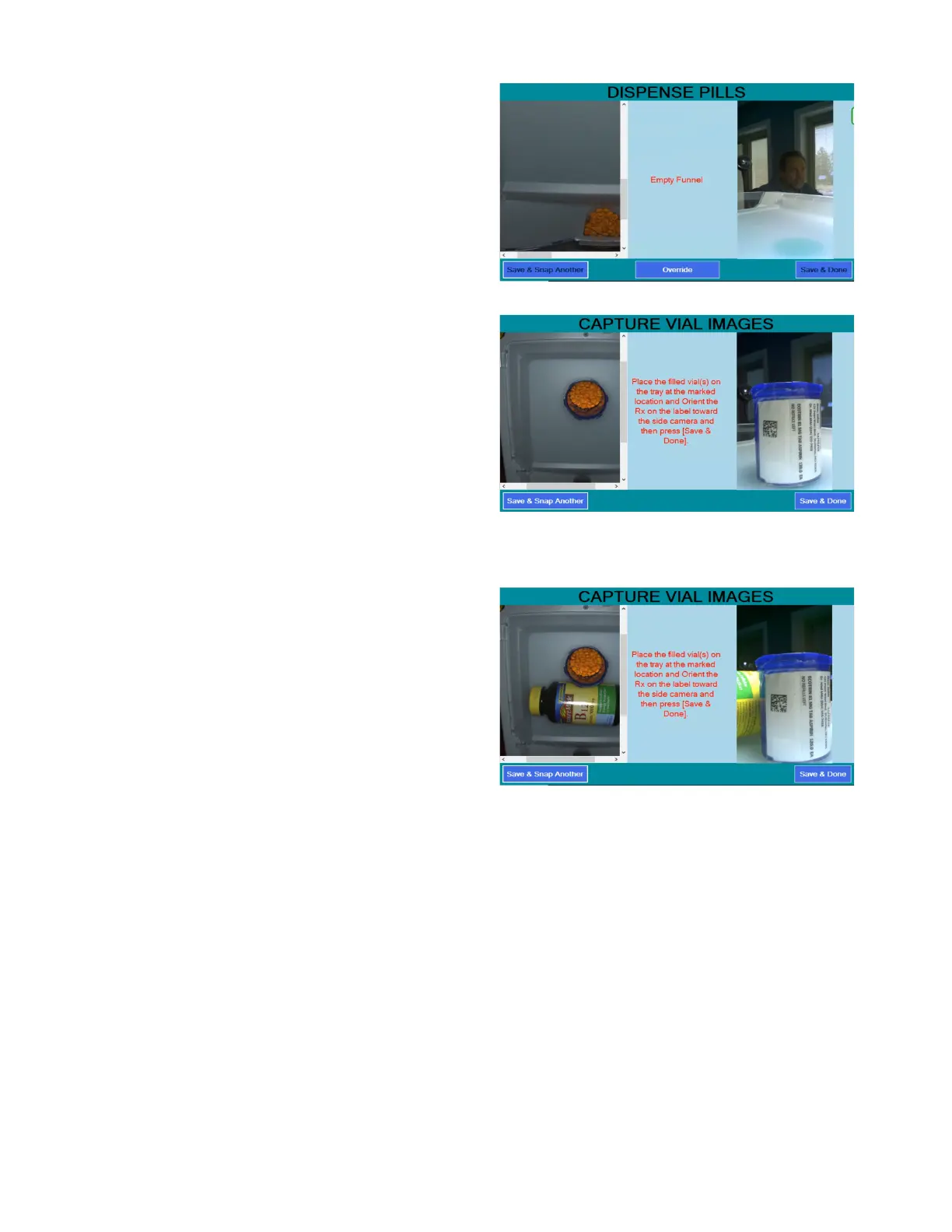
5. When the tray is empty,
the user is prompted to
empty the funnel into a
patient vial. (first apply the
Rx label to the patient
vial.)
• After the funnel
has been emptied
into the patient vial,
proceed at the next
screen
6. Place the filled and
labeled vial on top of the
green circle near the rear
of the counting tray,
rotating the desired
portion of the vial label
toward the right rear
corner of the Eyecon. The
top camera will capture
the contents of the filled
vial, which is shown on
the left side of the menu
and the camera on the right rear corner will capture the label applied to the
filled vial, and shown on the right side of the display.
- If desired, the
stock bottle that
was used to fill the
Rx can be place
adjacent to the filled
vial to capture an
image at the same
time. However,
ensure that the
placement of the
stock bottle does
not impact the
ability to detect the vial barcode, if enabled.
7. Press [Save & Done] to capture the photos. OR if additional photos are
needed, click [Save & Snap Another] for the initial photo(s) and [Save &
Done] for the final photo.
8. If Captured Stock Bottle is enabled, you will be prompted to set the stock bottle
on the tray next. After doing so, press save to capture this photo.
9. The Eyecon will return to the first menu in the counting sequence for the
chosen mode of operation and is ready for the next prescription.



 To Next Page