86 Eyecon 9420 & 9430 Instruction Manual
Eyecon operation
3. Scan the 2D barcode on the stock item to be dispensed.
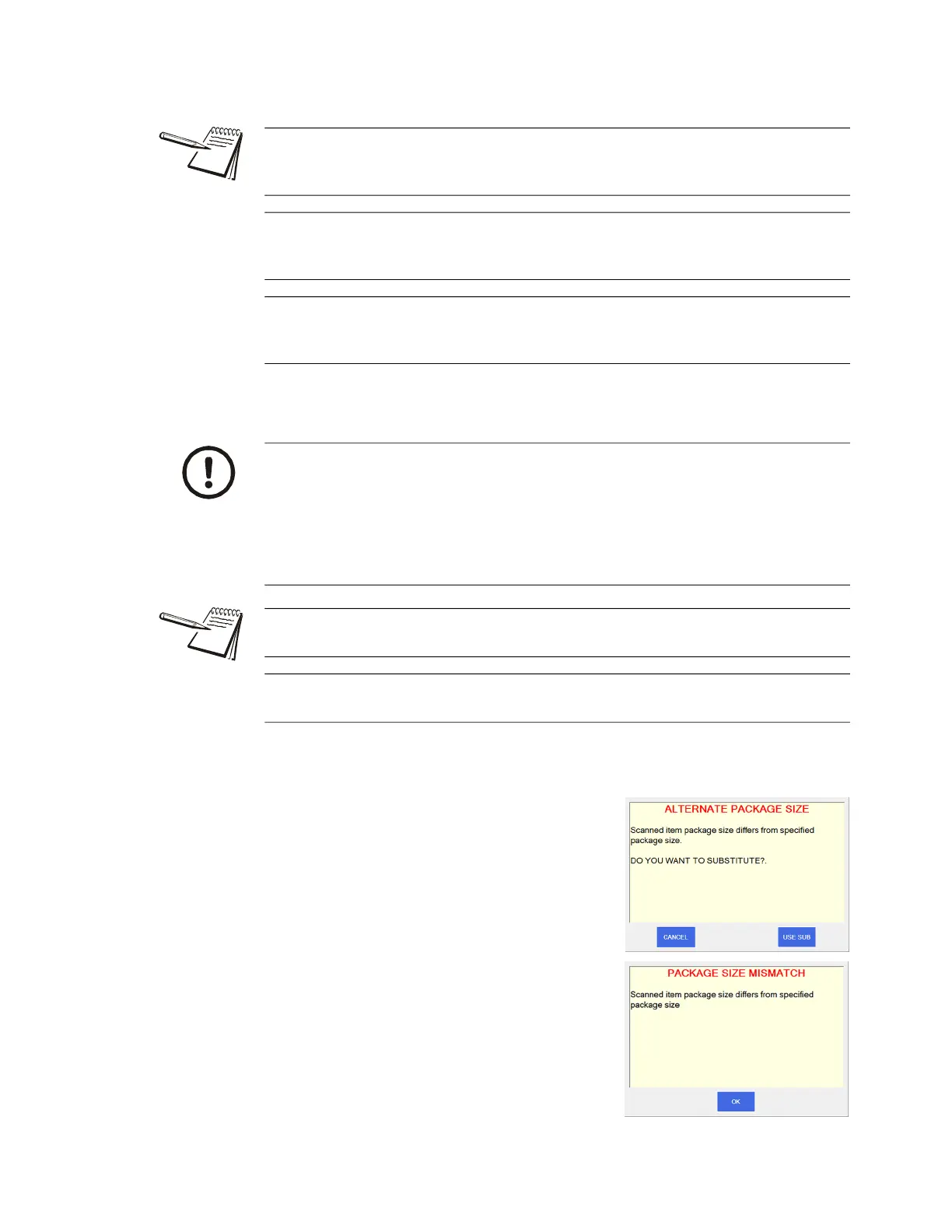
Package Size Mismatch
If the scanned stock bottle is the same drug but
does not match the expected stock bottle quantity,
a message screen will appear depending on
Eyecon configuration. If allowed, the top screen at
right appears. If not allowed, the bottom screen
appears. See Drug Substitution on page 27 for
directions.
If you are aware that the pill you are about to dispense has been improperly trained,
press the ReTrain Item before scanning the stock item. Follow the instructions
onscreen. See Train or Retrain a pill image on page 105.
Similarly, if you know the drug information is incorrect for the stock item you are about
to dispense, press Edit Drug Database before scanning the stock item. Edit the drug
details as needed.
If your stock item does not have a barcode, press Manual Entry and type in the NDC
number of the item to be dispensed. Follow the instructions onscreen. See Manual
NDC entry on page 97.
If multiple stock bottles are being used to complete a transaction, after
emptying the first bottle, press the Add-to-Total button to record the number of
pills from the first bottle. then after transferring those pills into the patient vial,
before pouring any more pills on the tray, scan the 2D barcode on the next
bottle to capture the Lot #, SN, and expiration values for this new bottle. Repeat
as needed for each additional bottle to be dispensed. Your Eyecon will save
multiple sets of these values.
If NDC information is not present in database, NDC not found! will appear. Refer to
Drug Number Not Found on page 97.
See Edit drug database on page 98 for information on how to edit the drug name,
chose an NDC number or enable/disable the current drug photo.



 To Next Page