Page 37 of 97 PN: 106417-05
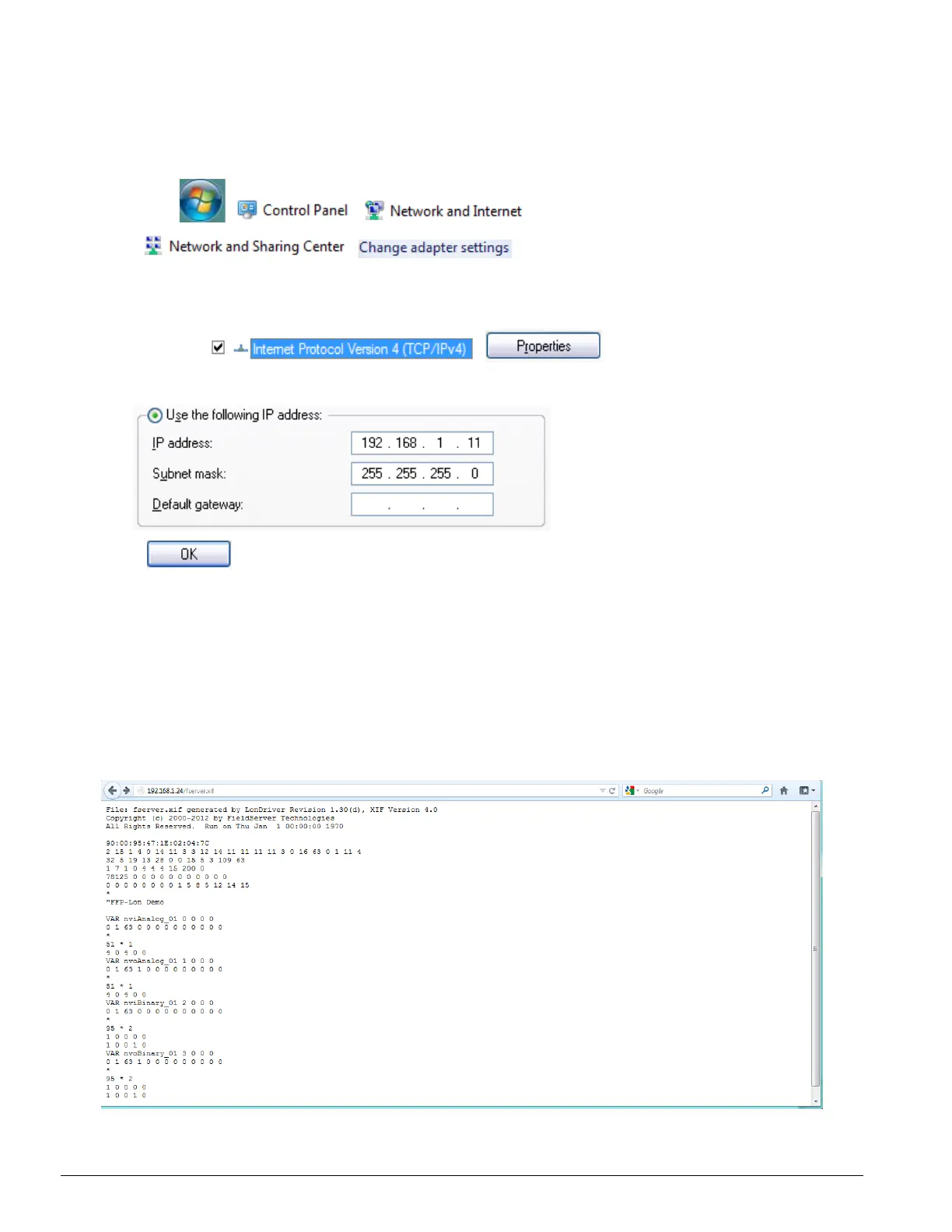
• For Windows 7:
Go to > >
> >
Right-click on Local Area Connection > Properties
Highlight >
• Select: Use the following IP address
• Click twice
• Open a web browser and go to the following address:
IP address of ProtoCessor/fserver.xif
• Example: 192.168.1.24/fserver.xif
• Download and save the file onto the PC.
Figure 6-6: Sample of fserver.xif file being generated



 To Next Page